Client intake and conflict checks for a law firm, from web form to Teams workspace
A client portal, a conflict search that checks names, aliases, close matches and corporate groups, partner and General Counsel approvals in Teams, a generated engagement letter and a Teams workspace per matter.
What it does
A client asks for help through the firm's portal and lists everyone involved. Within minutes the system searches every client, past matter and party the firm has dealt with, including corporate groups, and an AI judge explains the close matches. An analyst decides each hit, the partner and General Counsel approve in Teams, the engagement letter is generated from the firm's template, and accepting it opens the matter with its own Teams team.
Where intake slows down
New work tends to arrive by email, phone and a generic web form, often without the other side or related companies named. Conflict checks are manual searches of the billing system and old spreadsheets, which take two or three days, and near-matches slip through, such as "ACME Holdings Ltd" against "Acme Holdings Limited", or a subsidiary under another name. Waivers are agreed by email, engagement letters are copied from the last matter, and matter setup is done by hand.
How it works, step by step
1. The client submits the matter
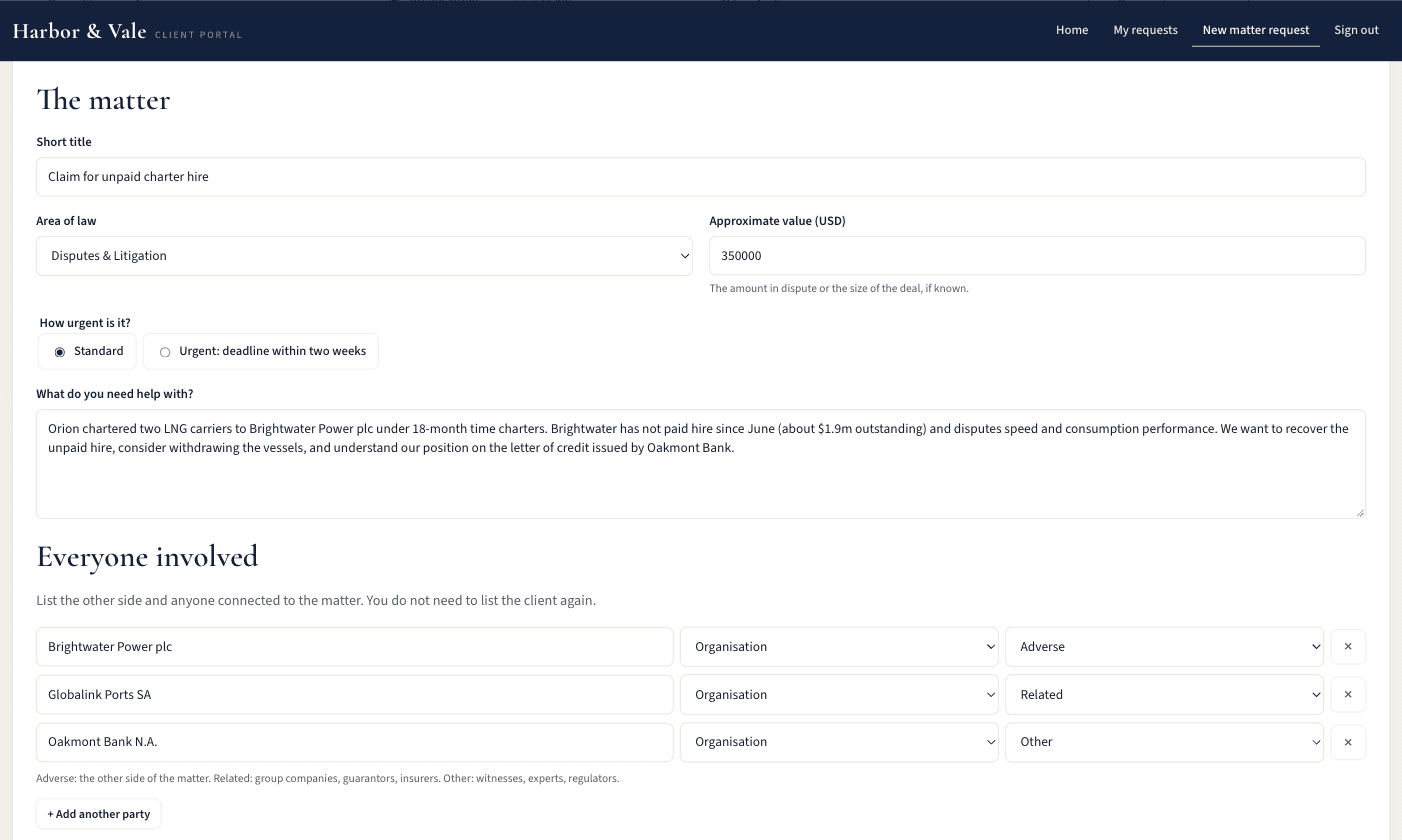
The client signs in to the portal, built on Power Pages, describes the work and its value, and lists every party: the other side, related companies and anyone else connected. They can upload documents and follow the request's status, and each client sees only their own requests.
2. The conflict search runs
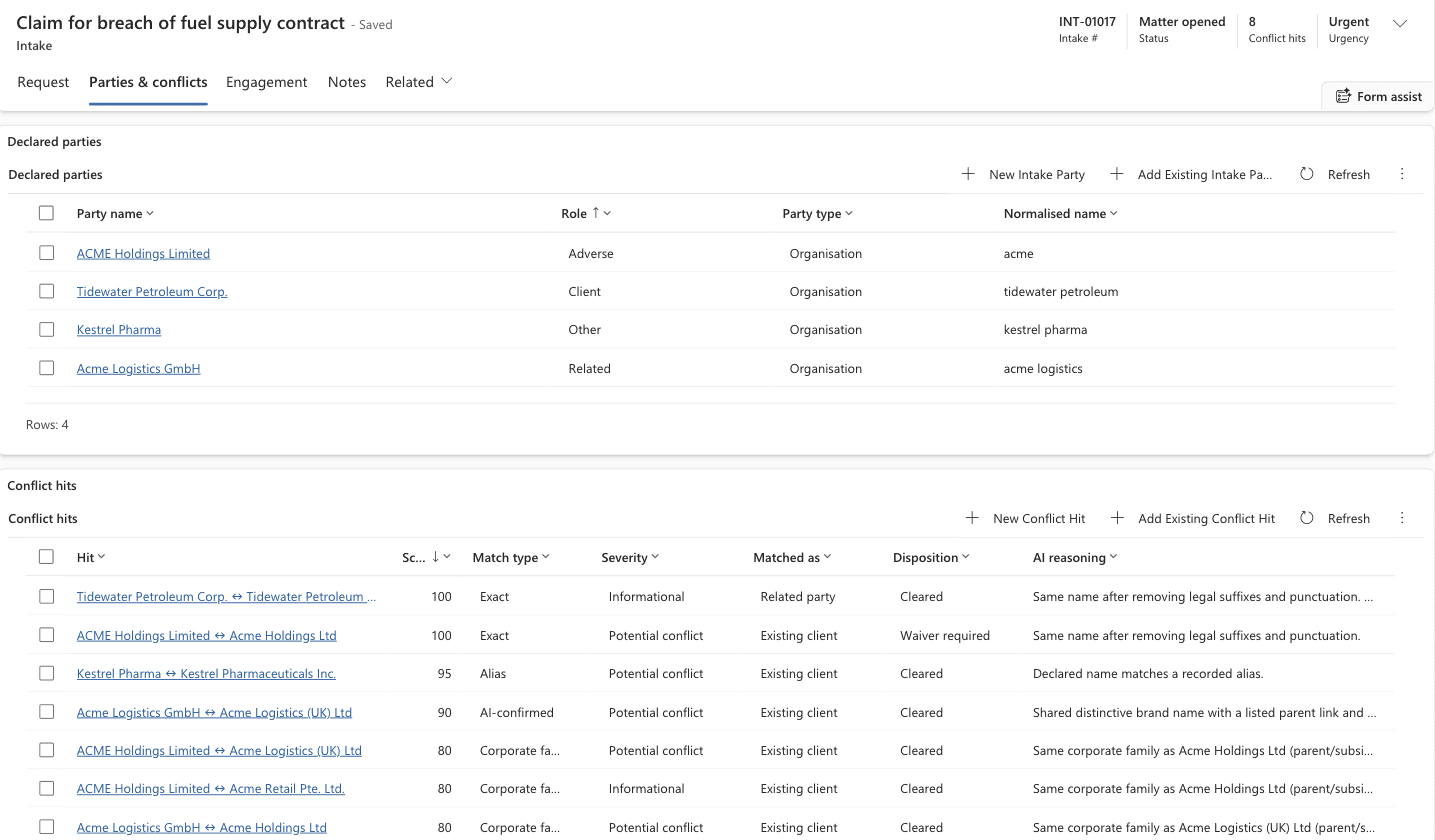
The search compares each party with every client, past matter and party on record in four layers: exact names once legal suffixes and punctuation are removed, recorded aliases and former names, close fuzzy matches, and an AI Builder judge that decides whether a match is the same company, the same corporate group or a different company and records its reasoning. It also checks each party's parents and subsidiaries.
3. An analyst decides each hit
An analyst marks each hit cleared, waiver required or blocking, with notes. A blocking hit declines the request automatically, and the client gets a neutral message without the conflict details.
4. The partner and General Counsel approve in Teams
The responsible partner accepts the work in Teams and chooses the fee arrangement. When a waiver is needed, General Counsel approves next. Decisions left waiting get a reminder, then an escalation.
5. The engagement letter is generated
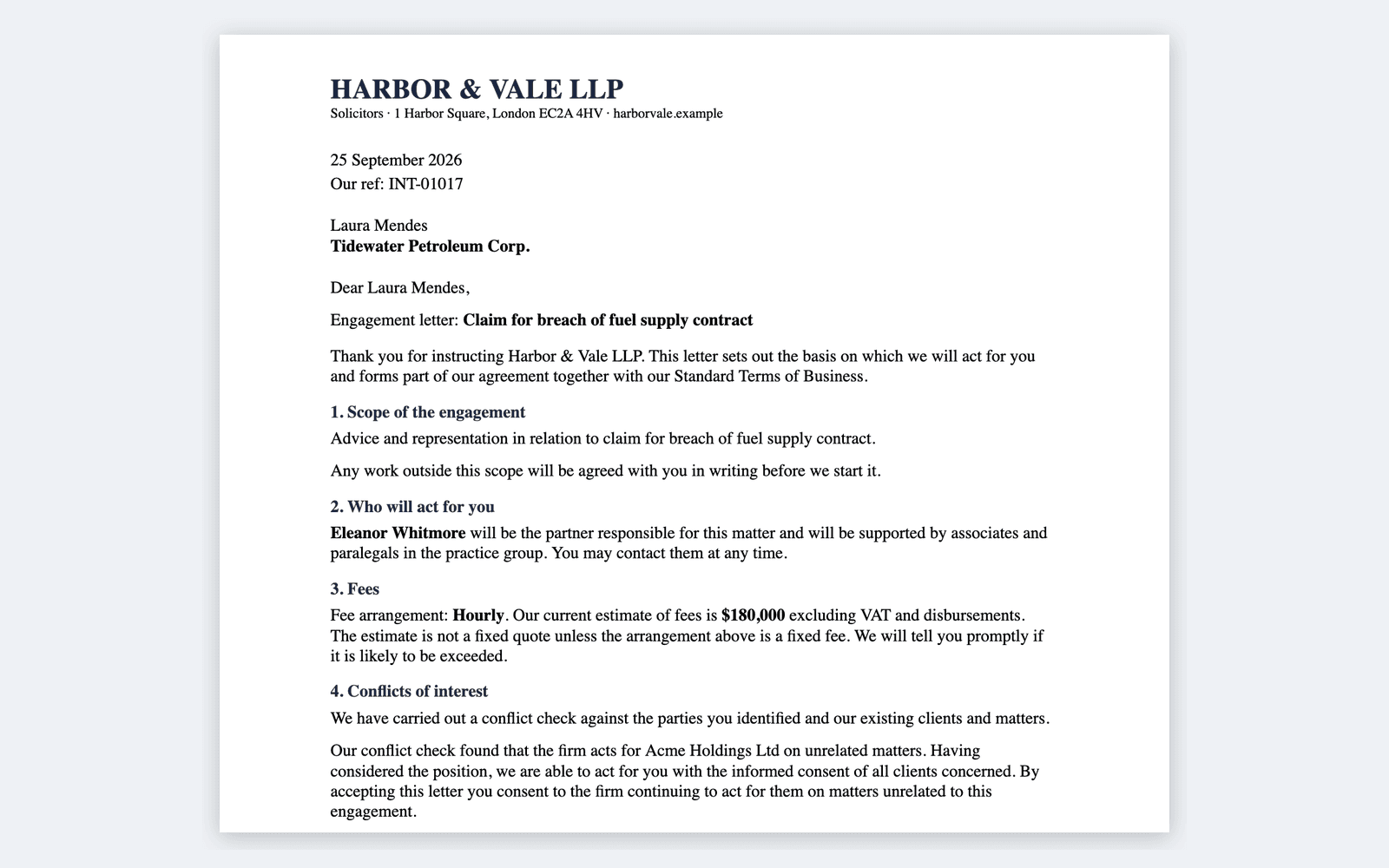
The letter is filled in from the firm's Word template with the client, scope, fees and partner, and a conflicts clause names the clients a waiver covers. It's published to the portal, where the client accepts it.
6. The matter is opened
When the client accepts, the system creates the matter number, creates or activates the client record, and adds every party to the conflicts database so later searches find them. It also creates a private Teams team for the matter with Correspondence, Drafts and Billing channels.
7. The dashboard
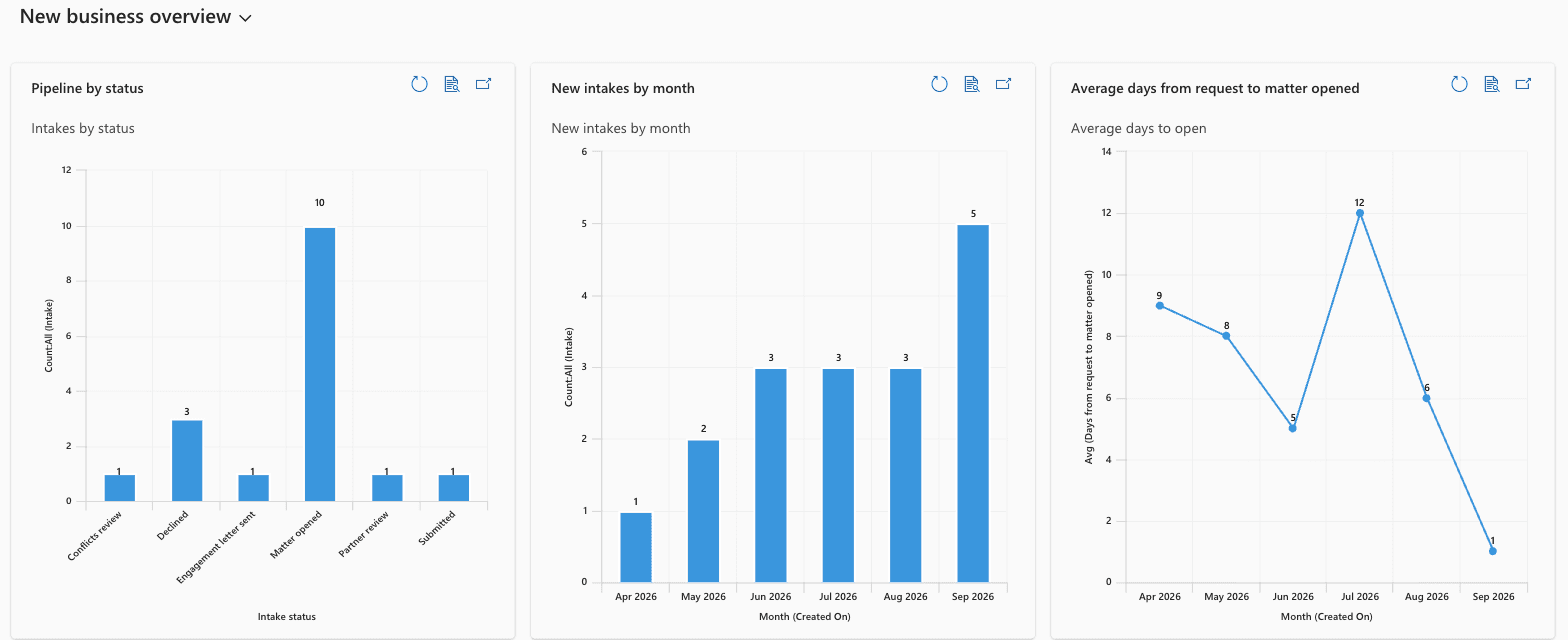
Partners see the intake pipeline, new requests each month, the average days from request to open matter, conflict outcomes and new matters by practice area.
An example from the build
A client asked the firm to sue "ACME Holdings Limited". In under five minutes the search flagged the firm's existing client "Acme Holdings Ltd" as a potential conflict, its subsidiary "Acme Logistics (UK) Ltd" through the corporate family, and "Acme Logistics GmbH", which the AI judged to be in the same group and explained why.
The analyst marked the Acme Holdings hit waiver required, and the partner and General Counsel approved in Teams. The engagement letter's waiver clause named only Acme Holdings Ltd. When the client accepted, the matter and its Teams team were created.
What it's designed to achieve
These are the targets the build was designed around, not results measured at a firm: a conflict search in under five minutes instead of two or three days, an analyst's decision within one business day, a recorded decision on every hit and a General Counsel approval on every waiver, every engagement letter from the approved template, and the matter's workspace ready as soon as the client accepts.
How it's built
The data sits in eight Dataverse tables. Power Pages runs the client portal, six Power Automate flows run the search, approvals, letter and matter opening, and AI Builder judges the close matches. Word templates produce the letters, SharePoint holds the documents, and Teams carries the approvals and hosts each matter. Staff use a model-driven Power App with five security roles.
The data model, flows and portal are kept in a Git repository and deployed from scripts, so the system can be installed in another firm's Microsoft 365 environment.
Licensing
This build needs premium Power Platform licences: Power Apps premium for the staff who use the Dataverse app, Power Pages capacity for the client portal, and AI Builder credits for the matching. We set out the licensing before we quote.
Who it's for
Law firms, and consultancies, audit, accounting and advisory firms that must check conflicts or independence before taking on new work.