Vendor contract management on Dataverse and Power Automate
Vendor contracts move from request to signature through approvals chosen by rules, renewals are flagged before their notice deadlines, and AI Builder reads the vendor's order form to fill in the contract terms.
What it does
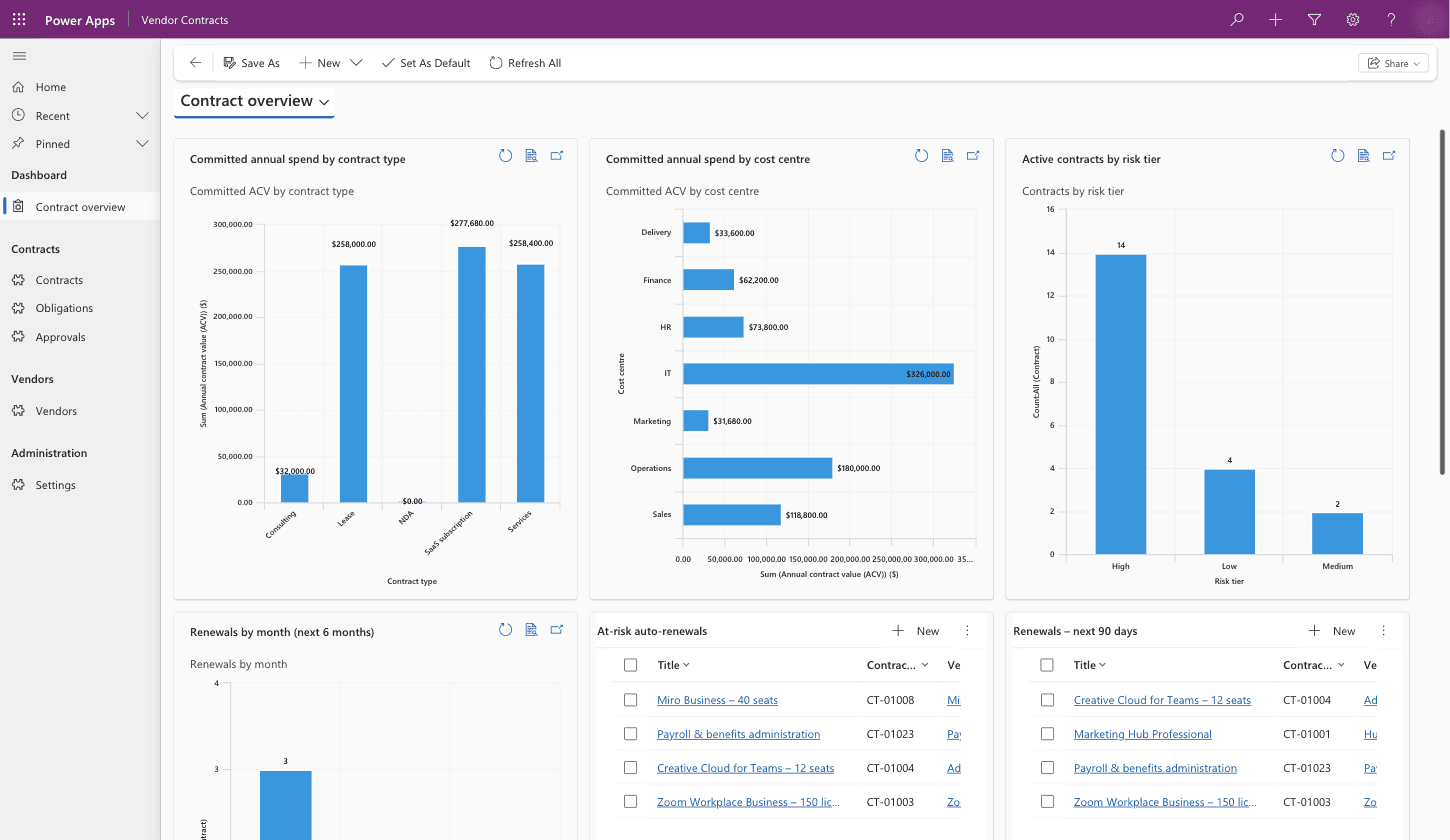
Every vendor contract is a record in a Dataverse app that moves through six stages, from request to active. Power Automate picks the approvals each contract needs from its value, risk tier and terms, creates a SharePoint folder for its documents, and holds it back from going active until a signed copy is uploaded. A daily check flags auto-renewals approaching their notice deadline, and AI Builder reads the vendor's order form to fill in the dates and terms.
Where contracts slip
Contracts usually live in inboxes and shared drives. Approvals are chased by email, it's unclear which version was signed, and auto-renewals pass their notice deadline because nobody was tracking the date. Committed spend by vendor, cost centre or risk is hard to add up.
Six stages for every contract
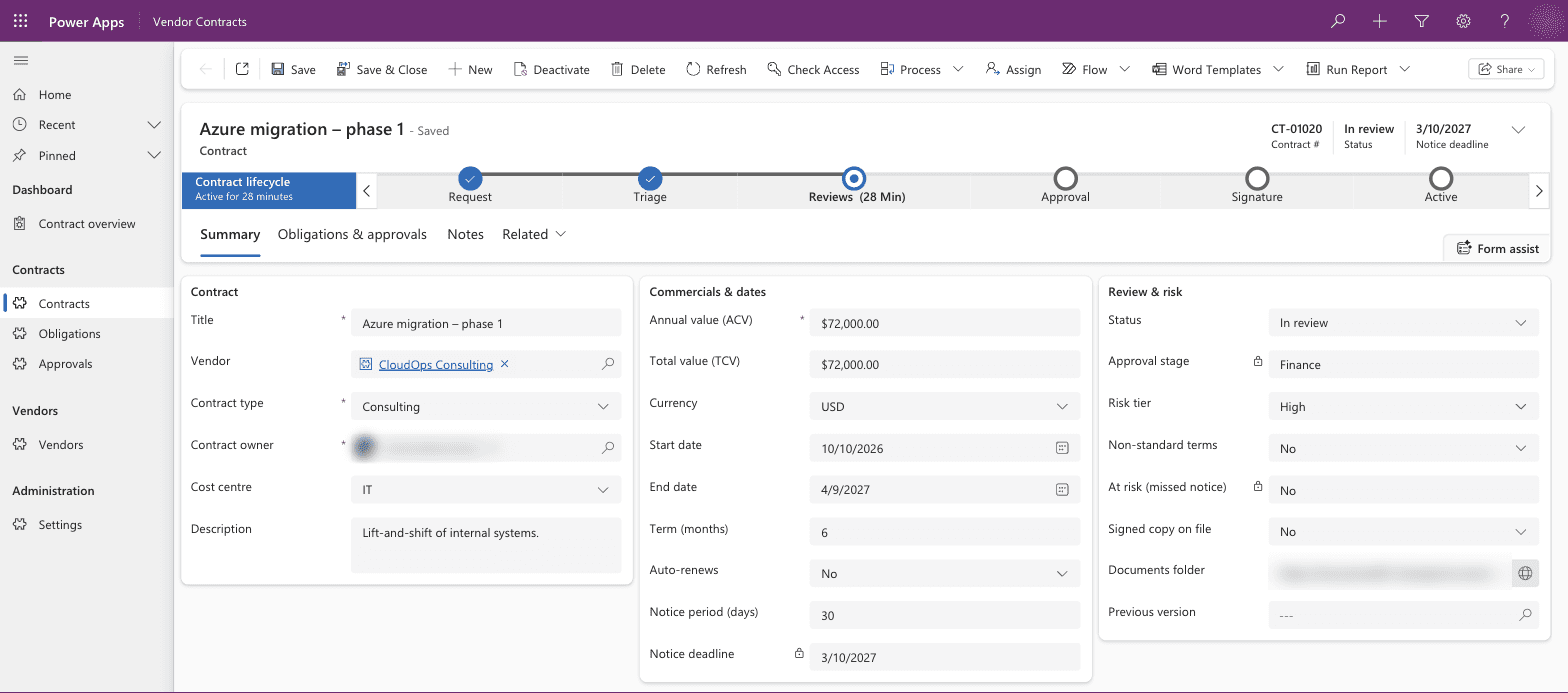
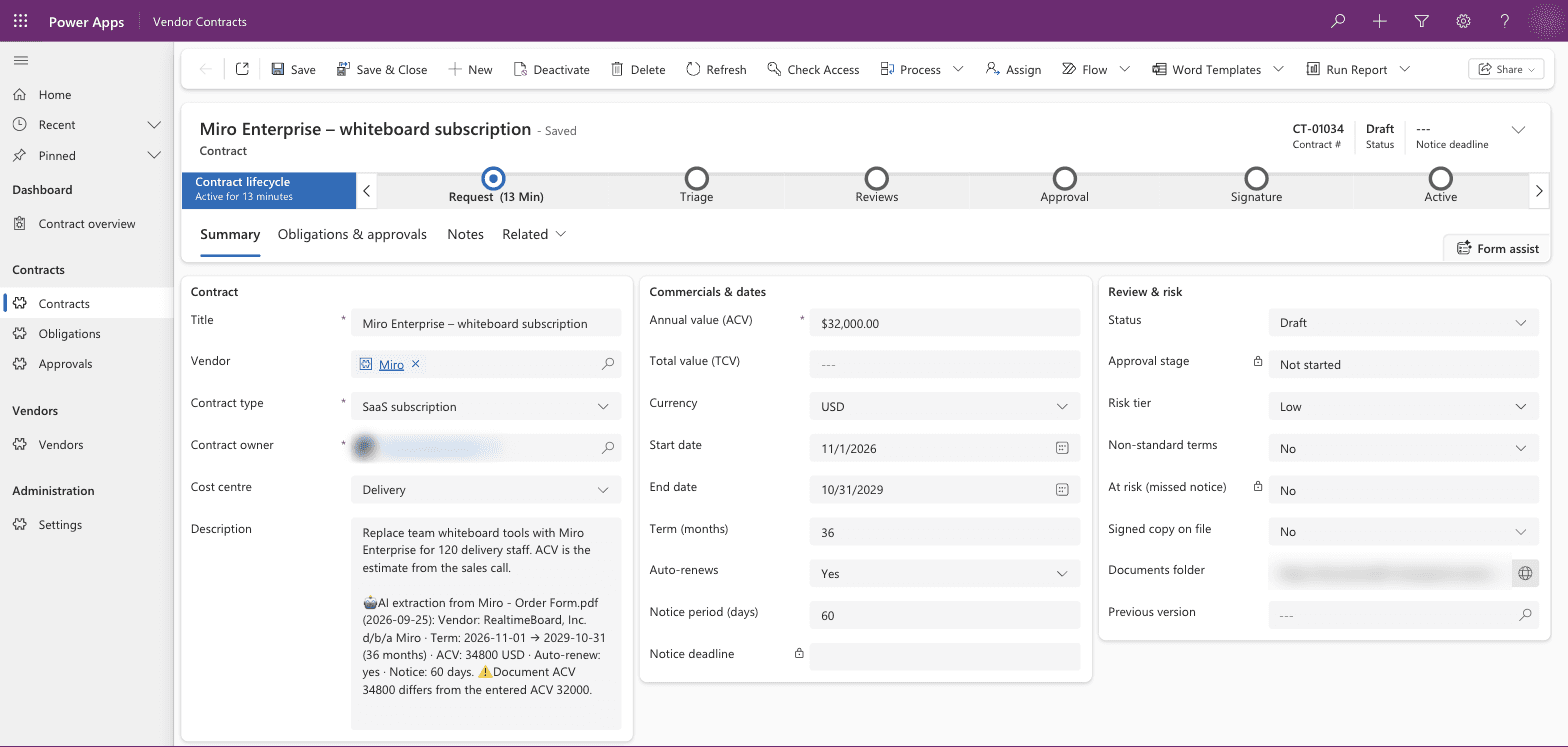
Each contract moves through request, triage, reviews, approval, signature and active. The stage bar on the form updates when the contract's status changes, so anyone who opens it can see where it is and what it's waiting on. Contracts are numbered automatically, and vendors, obligations and approval history are linked to each one.
Approvals chosen by rules
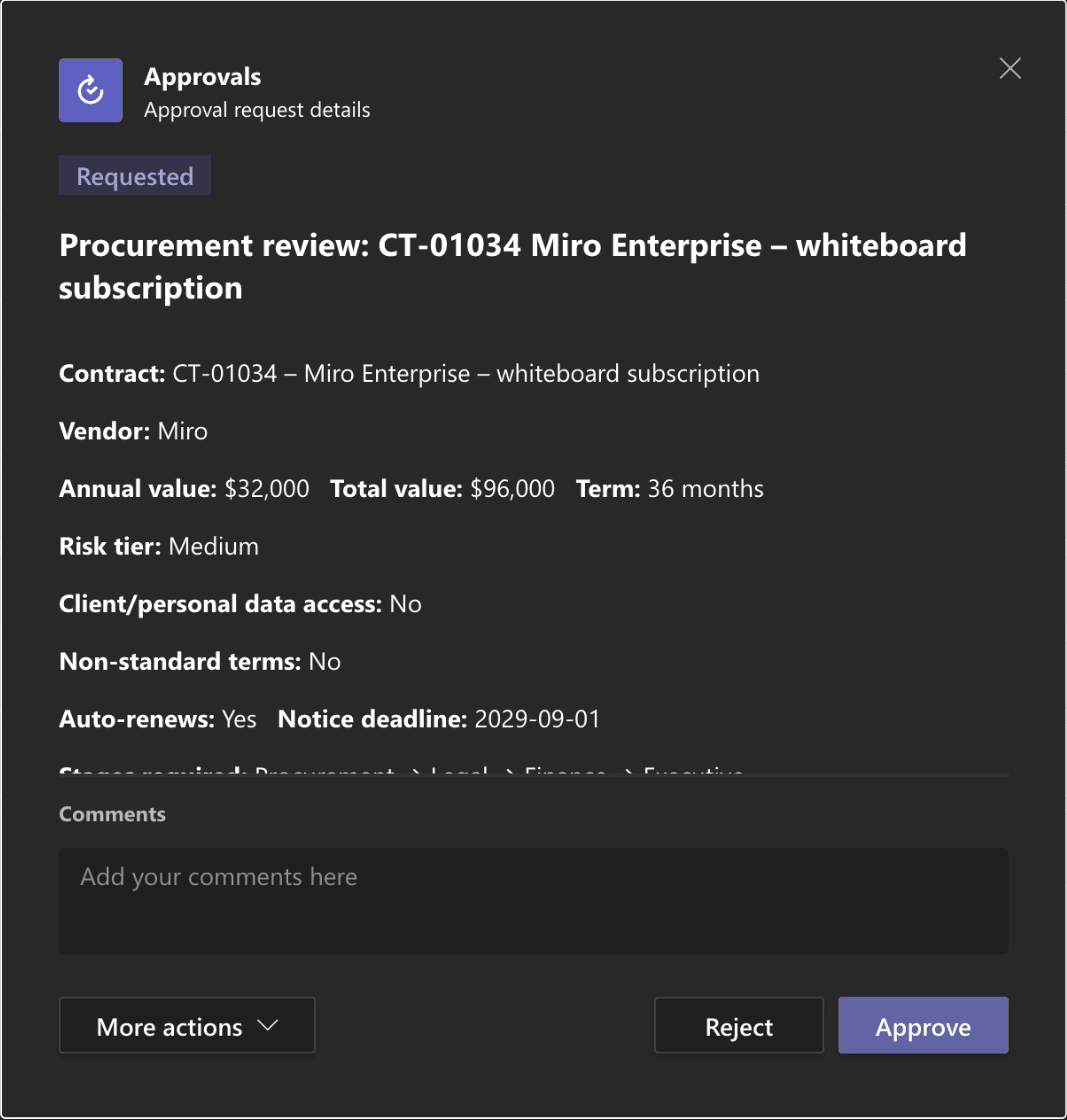
Procurement reviews every contract. Security, legal, finance and executive reviews are added depending on the contract's value, its risk tier and whether it has non-standard terms. Each reviewer gets an approval in Teams or Outlook with the contract's value, term, risk tier and notice deadline, and every decision is logged on the contract.
A folder per contract
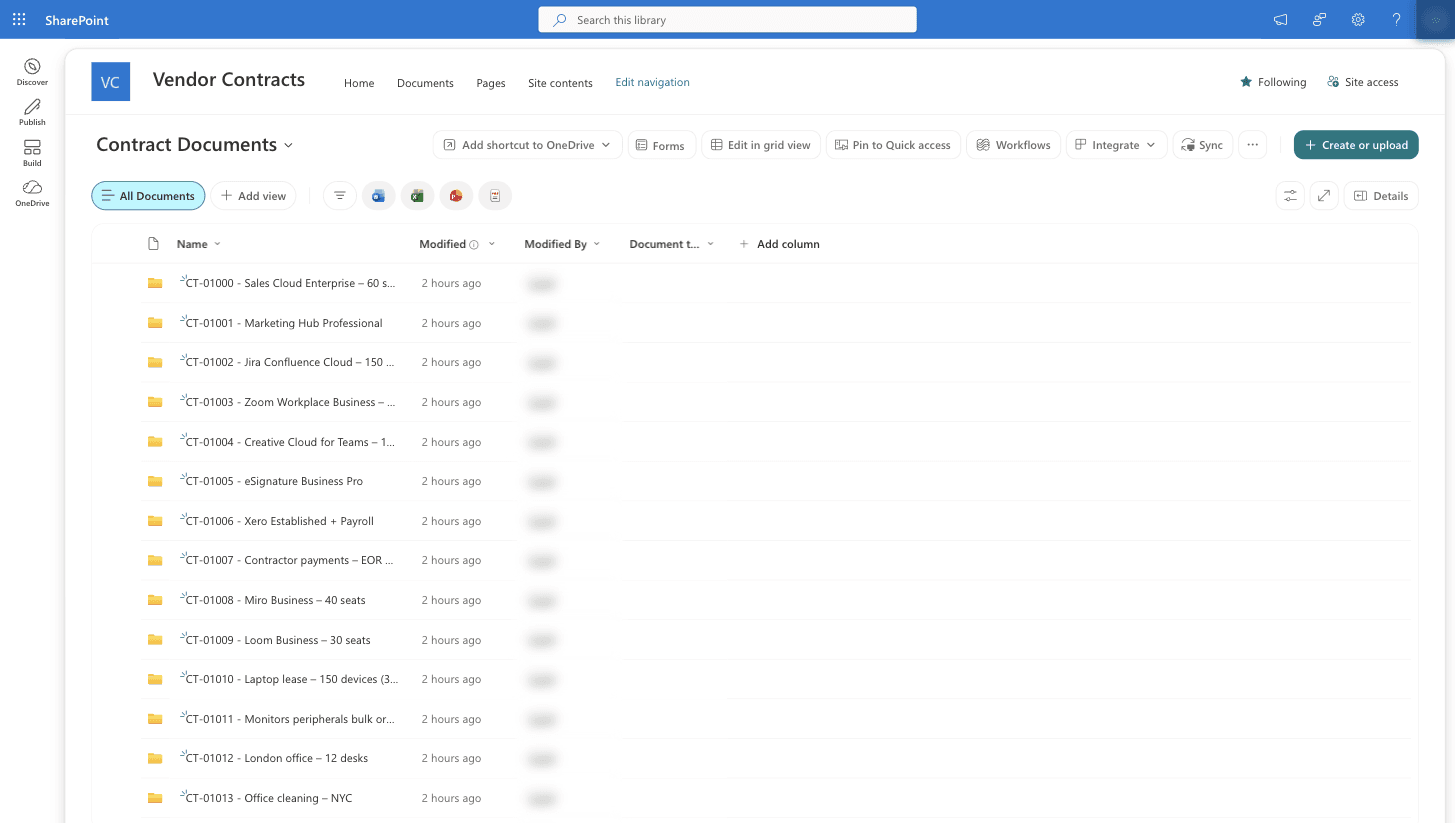
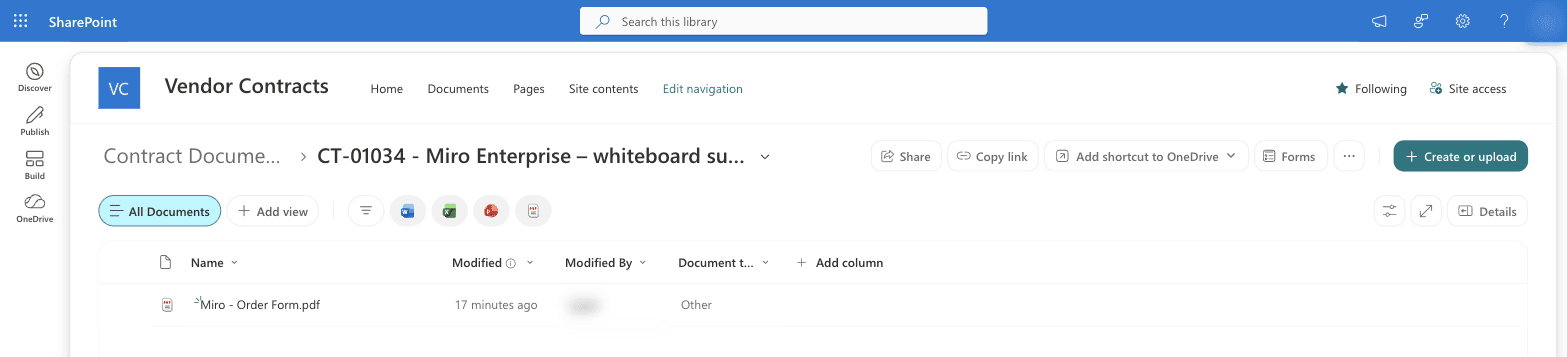
Creating a contract creates its folder in a SharePoint document library. When a signed copy is uploaded to the folder, the contract records it, and the contract can't become active until one is there.
Reading the order form with AI Builder
When the vendor's order form is dropped into a draft contract's folder, AI Builder reads it within about a minute and fills in the start and end dates, term, notice period and auto-renewal. Fields a person has already filled in are left as they are. If the document's annual value differs from the one entered, the contract gets a warning and its owner gets a Teams message.
Renewals and spend
A check runs every day and flags contracts approaching their notice deadline, marking auto-renewals at risk. The leadership dashboard shows committed annual spend by contract type and cost centre, contracts by risk tier, renewals by month, and everything renewing in the next 90 days.
Why it's built this way
Contracts link to vendors, obligations and approval history, and requesters, approvers and admins need different access. Dataverse handles related tables and security roles, which a SharePoint list can't do well, so the contracts live in Dataverse and only the documents live in SharePoint.
AI Builder only writes to empty fields and flags differences for a person to check, so it never replaces something a requester entered. The tables, the app and seven flows are packaged as one Dataverse solution that can be installed in another company's environment.
Licensing
This build needs premium Power Platform licences. The Dataverse app needs Power Apps premium for the people who use it, and reading documents uses AI Builder credits. We set out the licensing before we quote.