Joiners, movers and leavers on Power Platform and Microsoft Entra ID
New starters get their access from a role profile before day one, movers' access changes on their effective date, and leavers' sign-in is blocked at their leaving time, with every grant and removal recorded.
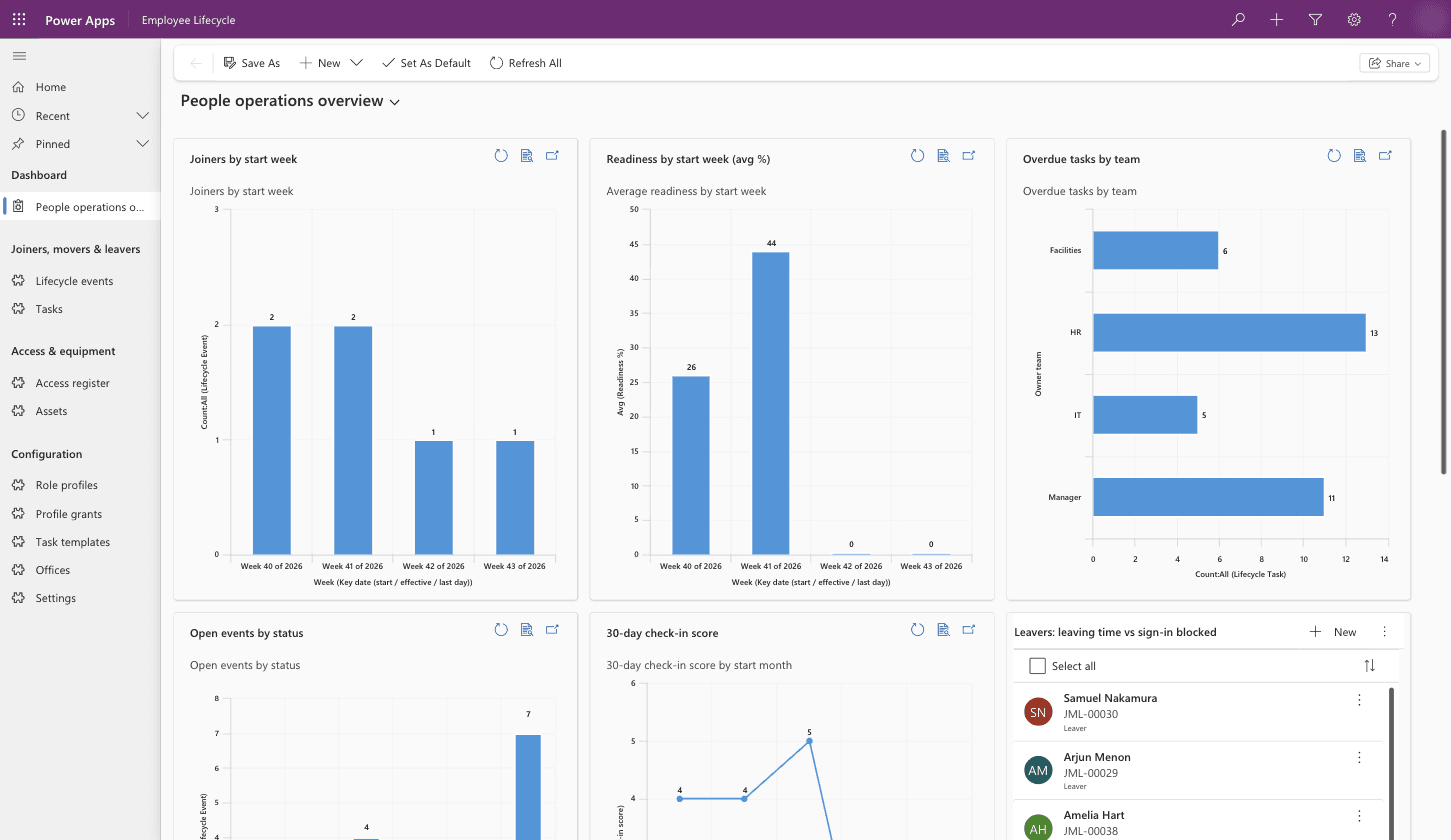
What it does
HR registers a joiner, mover or leaver once, and Power Automate carries out each step on schedule. Joiners get their Microsoft Entra ID account, groups and tasks from a role profile ten working days before they start, with sign-in turned on at 6am on day one. Movers change groups on their effective date, and leavers have sign-in blocked at their leaving time. Every grant and removal is recorded.
Where joiners and leavers go wrong
IT often hears about a new starter late, so the first morning goes on waiting for a login. Access is copied from someone in a similar job, and tasks fall between HR, IT, Facilities and the manager. A leaver's access can stay live for days after they go, which auditors raise under ISO 27001 and SOC 2, and people who change roles keep access from every job they've held.
How it works, step by step
1. HR registers the joiner
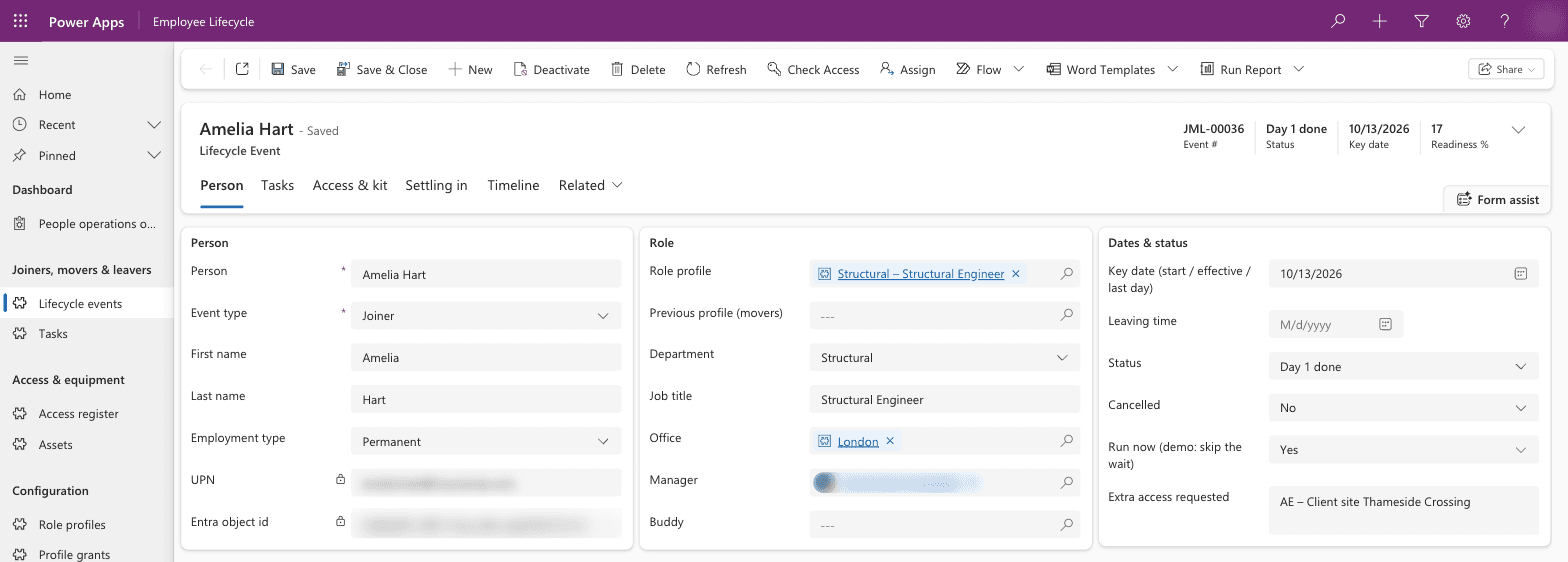
HR adds the person with their role profile, office, manager and start date. The role profile sets their Teams, security groups, licence group and laptop model, so two people in the same role get the same access. Any extra access, such as a client site, is requested on the same record.
2. Tasks and approvals start
Registering the joiner creates their tasks for HR, IT, Facilities and the manager from templates, each due a set number of working days before or after the start date. Extra access goes to the manager for approval in Teams, and to IT as well when the group is privileged.
3. The account is set up ten working days ahead
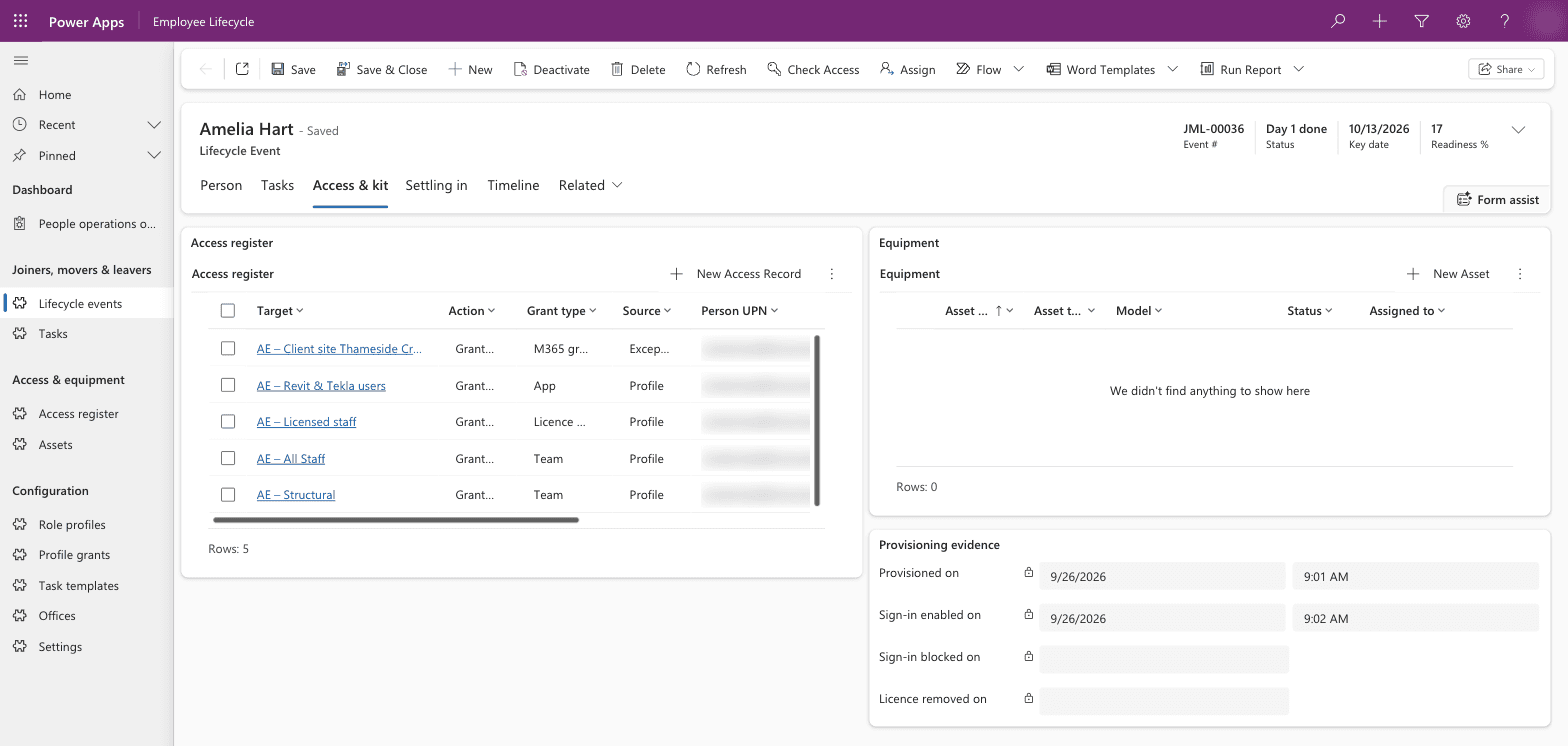
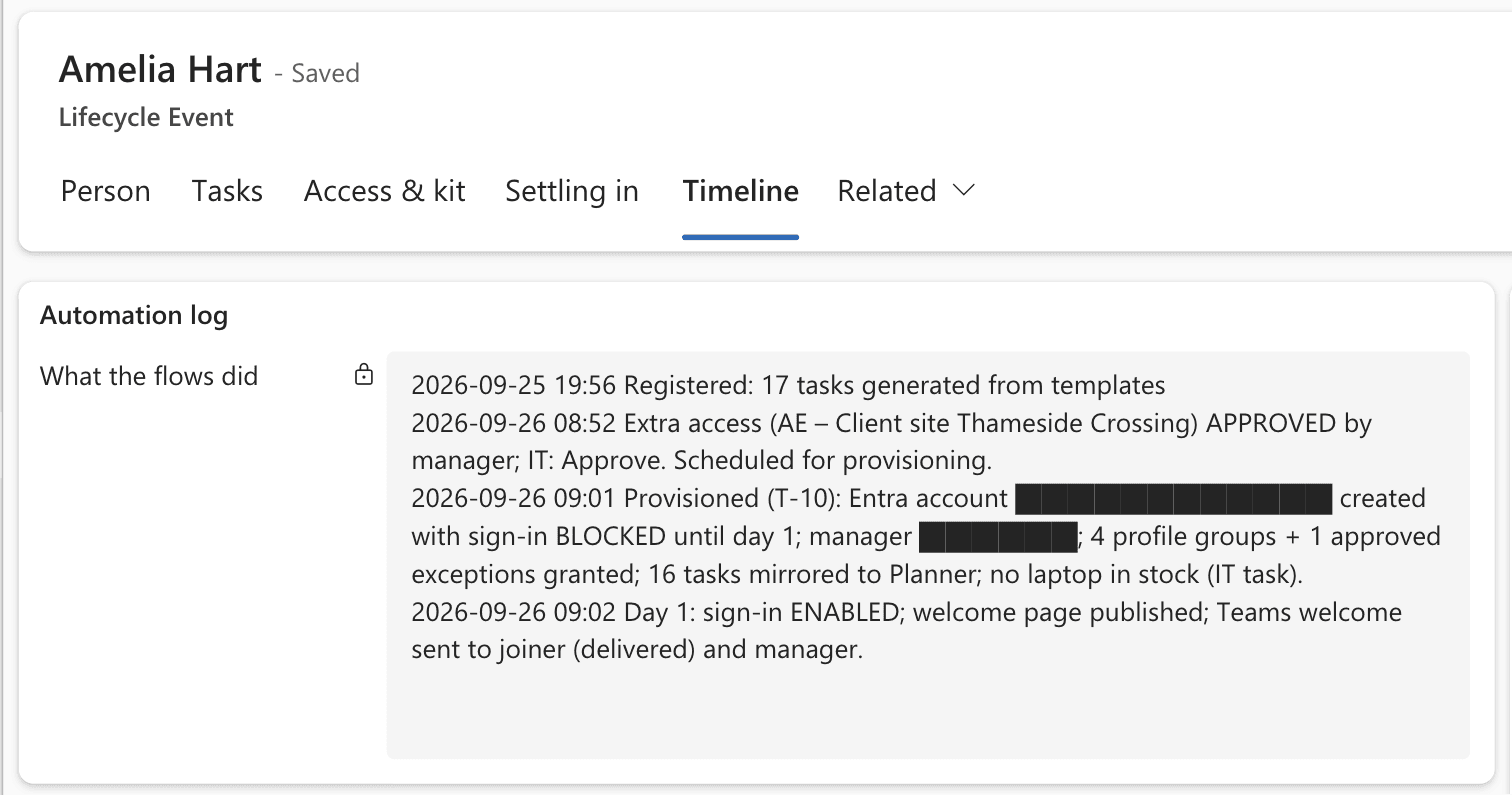
Ten working days before the start date, a flow creates the Entra ID account with sign-in blocked, sets the manager, adds the role's groups and any approved extras, and records each grant. The tasks are copied into Planner, one bucket each for HR, IT, Facilities and the manager.
4. Day one
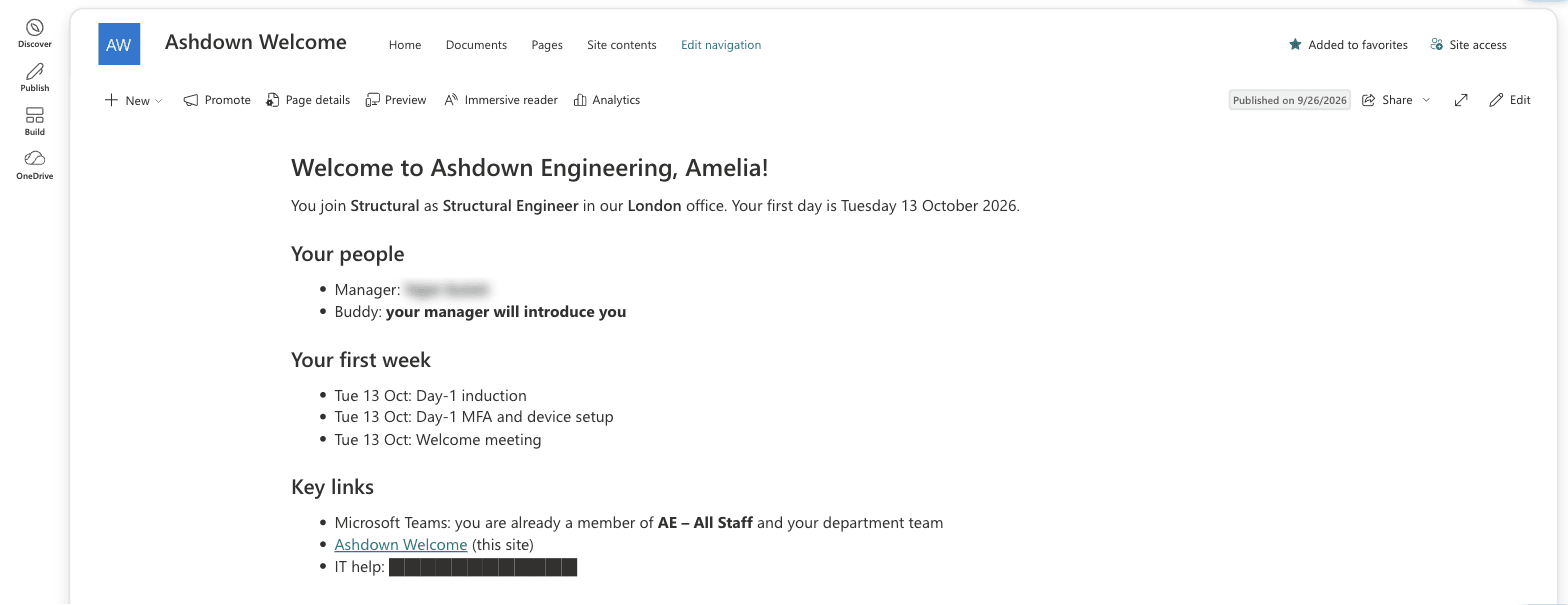
At 6am in the starter's office, sign-in is turned on, a personal welcome page is published in SharePoint, and Teams messages go to the starter and their manager. After 30 and 90 days the manager gets a short check-in form in Teams.
5. Movers
On a mover's effective date, the new role profile's groups are added and the old profile's groups are removed. Extra access their manager approved stays.
6. Leavers
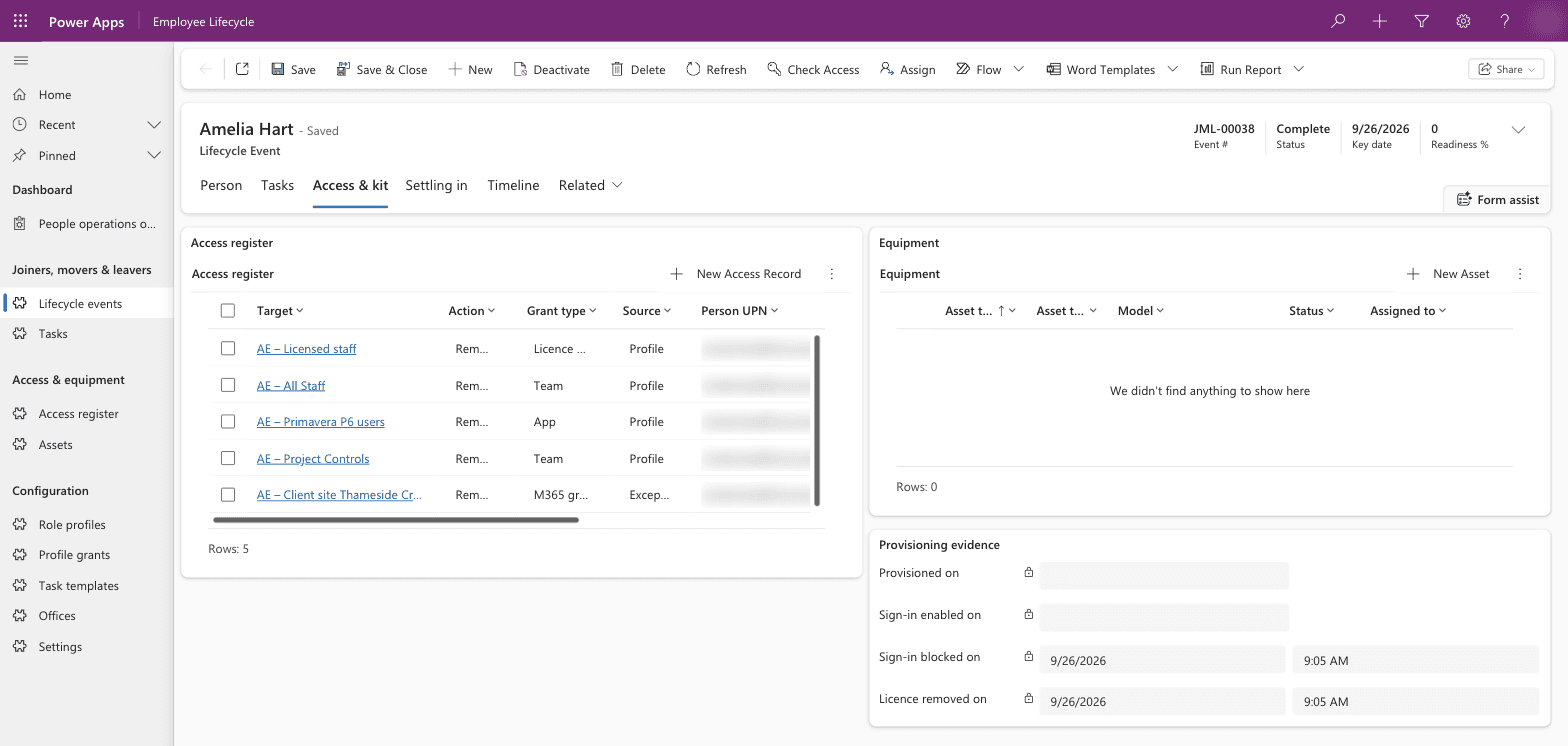
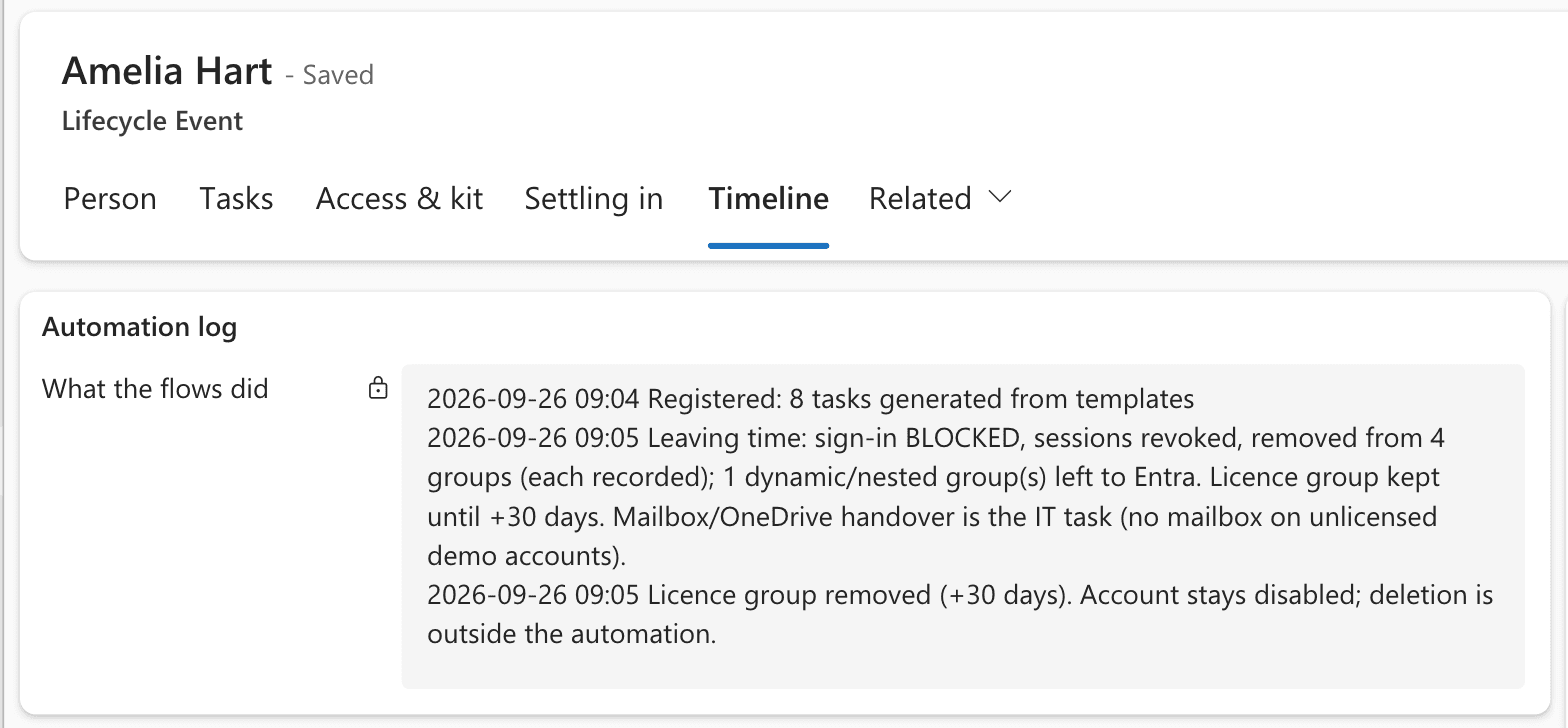
At the leaving time, sign-in is blocked, open sessions are ended and group memberships are removed, each one recorded. The licence group is removed 30 days later. The account stays disabled so its records and files remain available.
7. Tracking
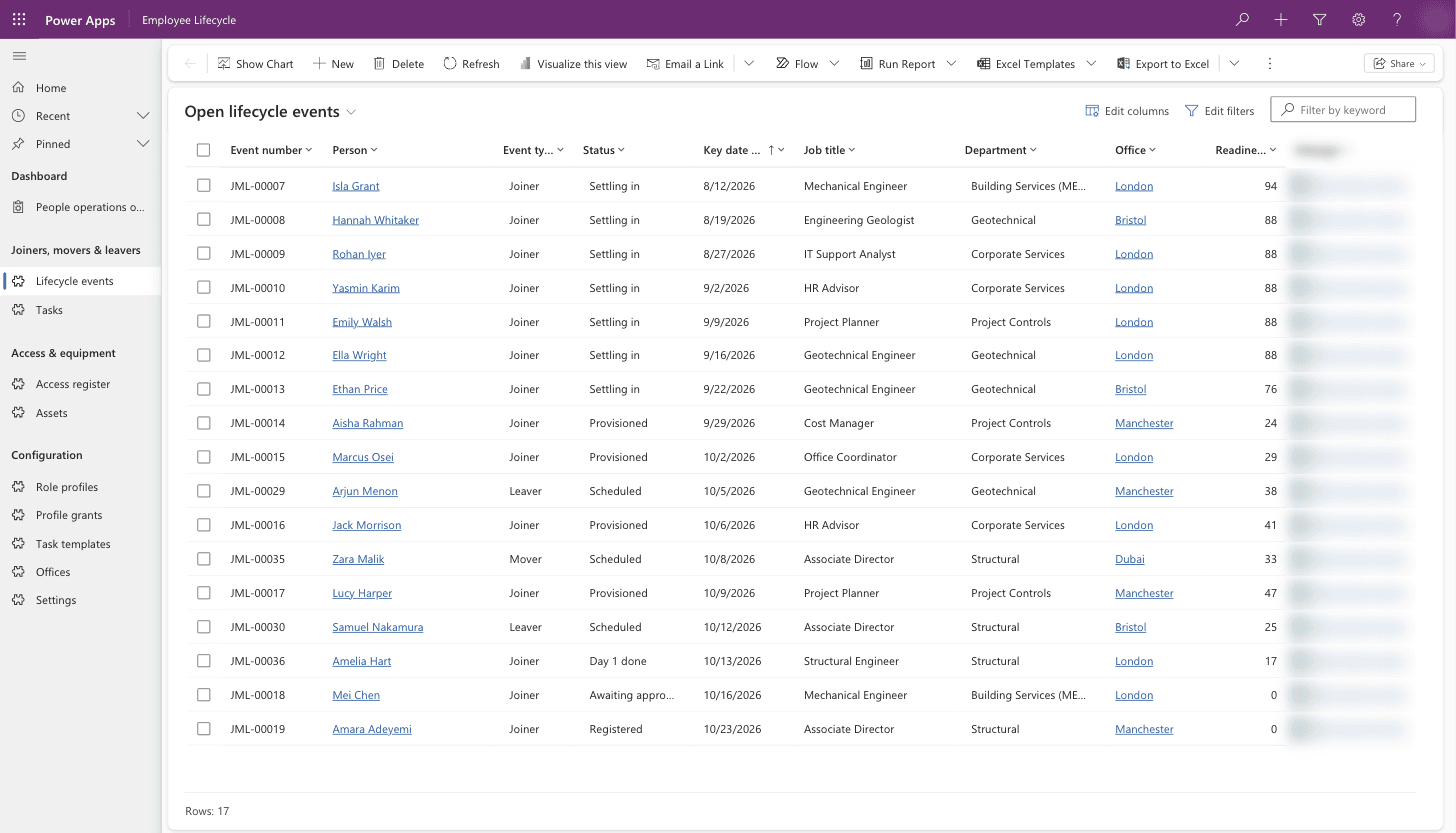
Tasks sync both ways with Planner, so completing one in either place updates the other. Each event shows a readiness percentage, a reminder goes out the day before a task is due, and an overdue task goes to the team lead the next day. People operations sees every open joiner, mover and leaver in one list, and the dashboard shows starters by week, readiness, overdue tasks by team and check-in scores.
Why it's built this way
Access comes from role profiles, so it's set by the job and never copied from a colleague. Only the automation writes to the access register, which makes the register a record of every grant and removal for an audit. Accounts are created ten days early with sign-in blocked, so groups and equipment can be ready without anyone being able to sign in, and leavers' accounts are disabled so their files stay available.
The tables, app and 14 flows are packaged as one Dataverse solution that can be installed in another company's Microsoft 365 environment.
Licensing
This build needs premium Power Platform licences for the Dataverse app. Assigning licences through groups also needs Microsoft Entra ID P1. We set out the licensing before we quote.