ERP for FMCG distribution in India
We used Crator to build a working FMCG distributor reference on ERPNext. One synthetic Bengaluru route connects an approved scheme, batch and expiry allocation, van stock, three outlet deliveries, a return, invoices and collections. The screens below come from the installed ERP, not a design mockup.
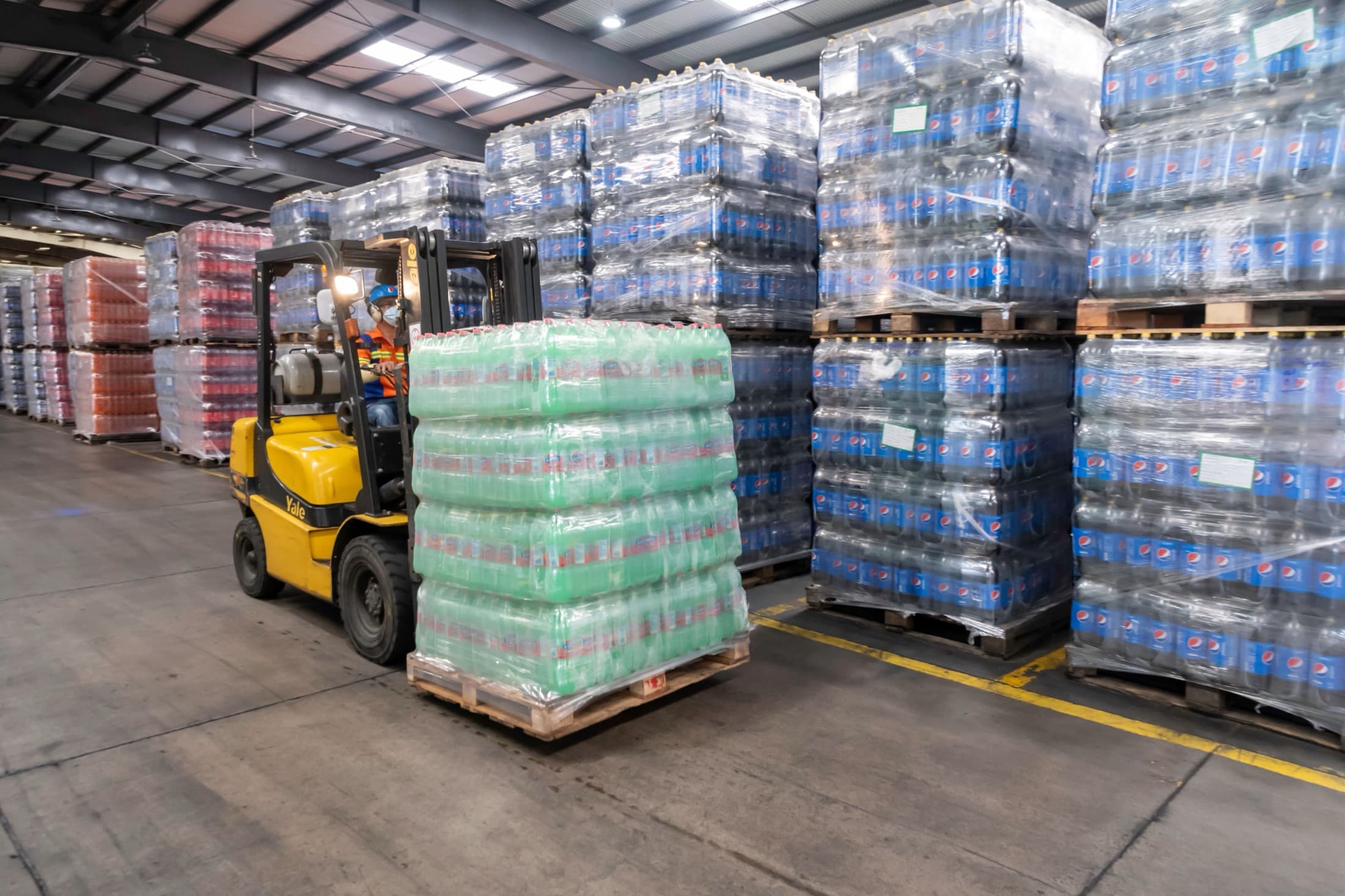
Why FMCG distribution software has to follow the batch and the route
A distributor does not finish at stock on hand. The useful record explains which batch was promised to each outlet, what entered a van, what the customer accepted or returned, what was invoiced, and what was collected. When a batch is held, the same chain has to reveal delivered customers and remove stock that has not left yet.
Expiry changes the allocation decision
Batch age, customer shelf-life rules and sellable status matter before a route is released.
A scheme needs an approval trail
The outlet price must come from an eligible, dated decision instead of an unexplained discount.
The van is a stock location
Loaded quantity, outlet deliveries and returned stock must reconcile to named warehouse movements.
A hold reaches beyond inventory
The batch trace needs the customer, delivery document, quantity and open allocation, not only a balance.
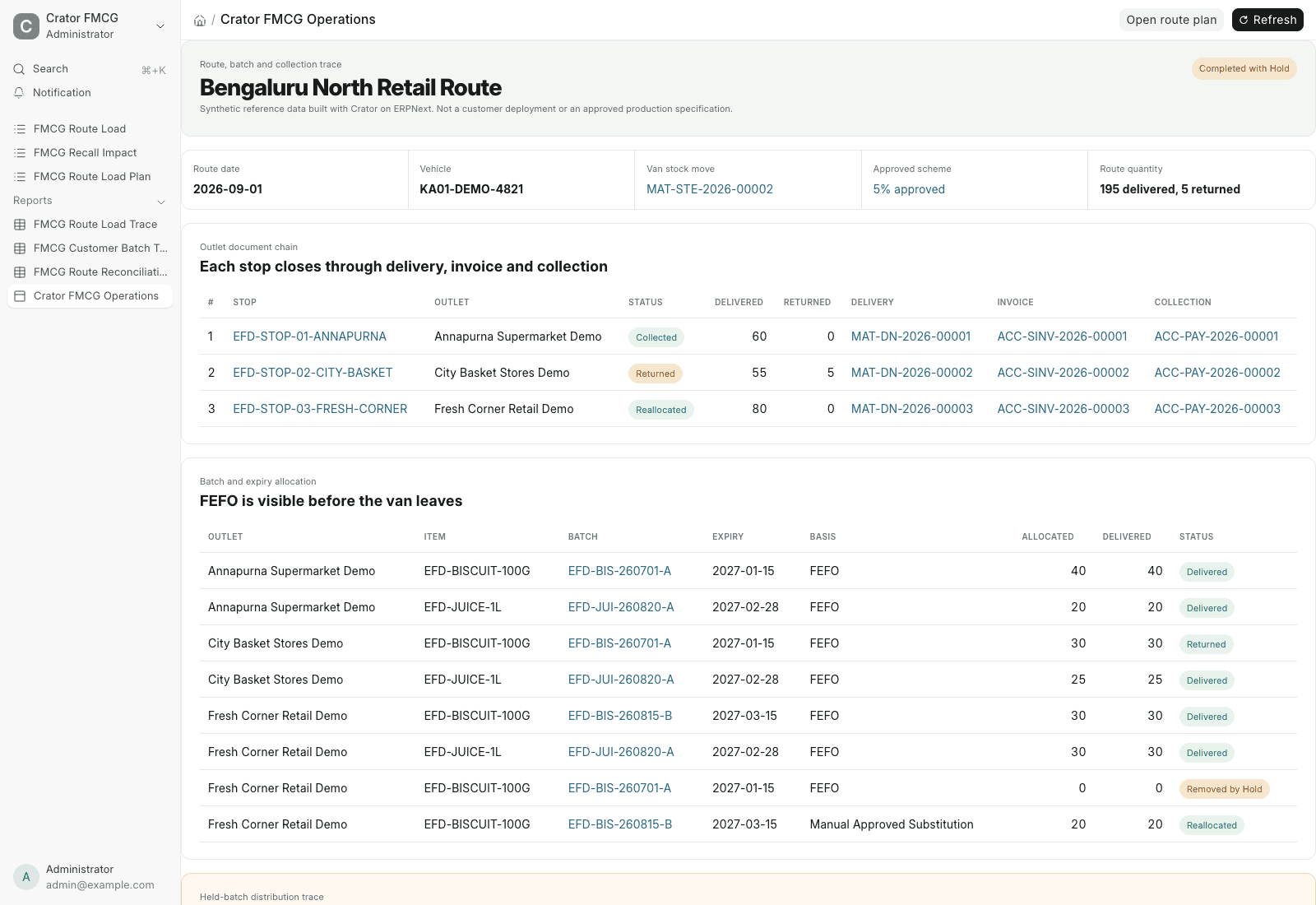
Route stock and FEFO
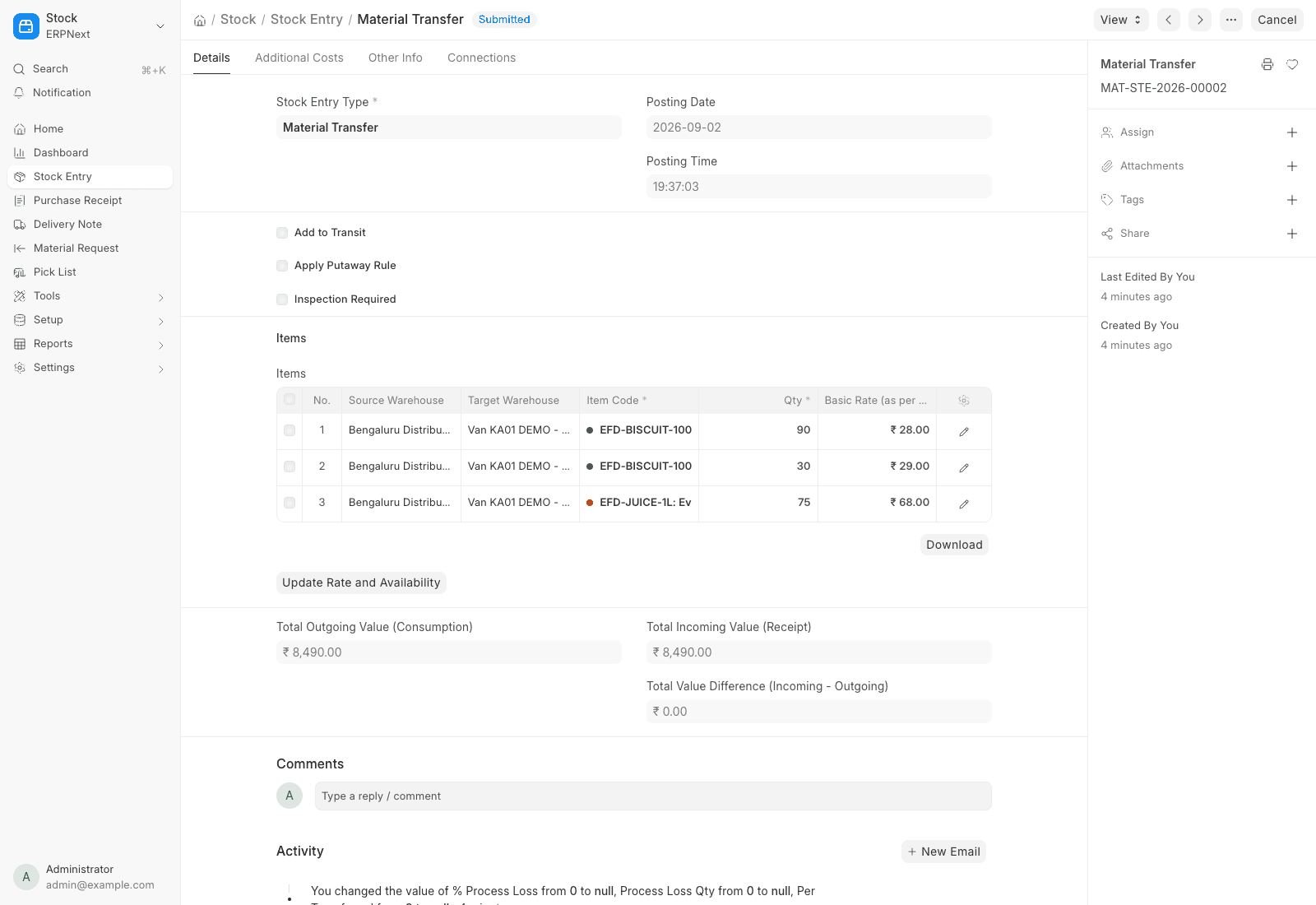
The route starts with a batch-visible van load
The synthetic route carries 120 biscuit cases and 75 juice cases. A submitted ERPNext Material Transfer moves the selected batches from the Bengaluru distribution centre to the named van warehouse. Pick Lists preserve the outlet and batch context.
FEFO is an allocation basis here, not a universal promise. A live distributor still has to define minimum remaining shelf life, blocked inventory, retailer rules and who may approve a replacement.
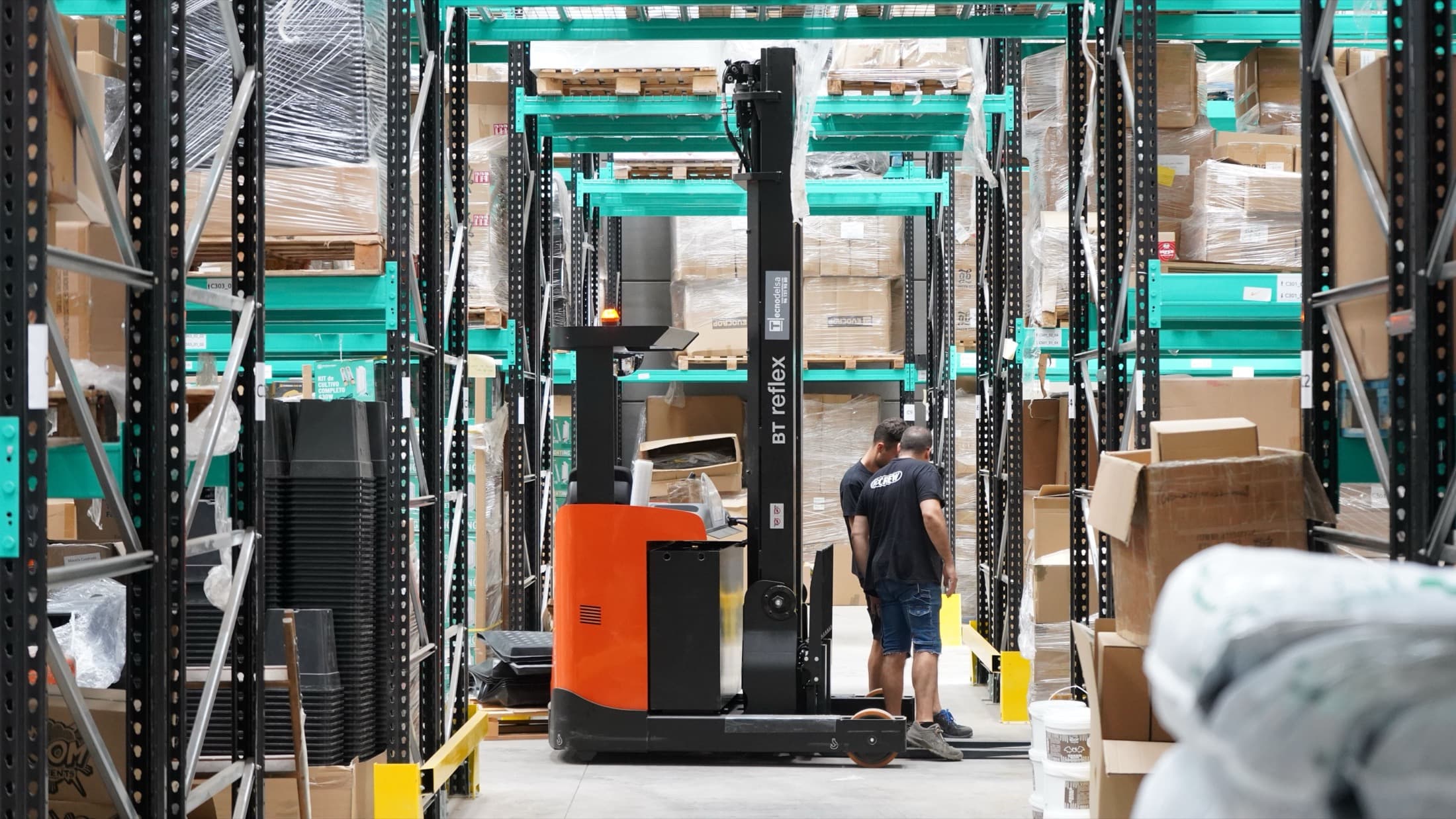
Return, billing and collection
Each outlet stop has to close on the net accepted quantity
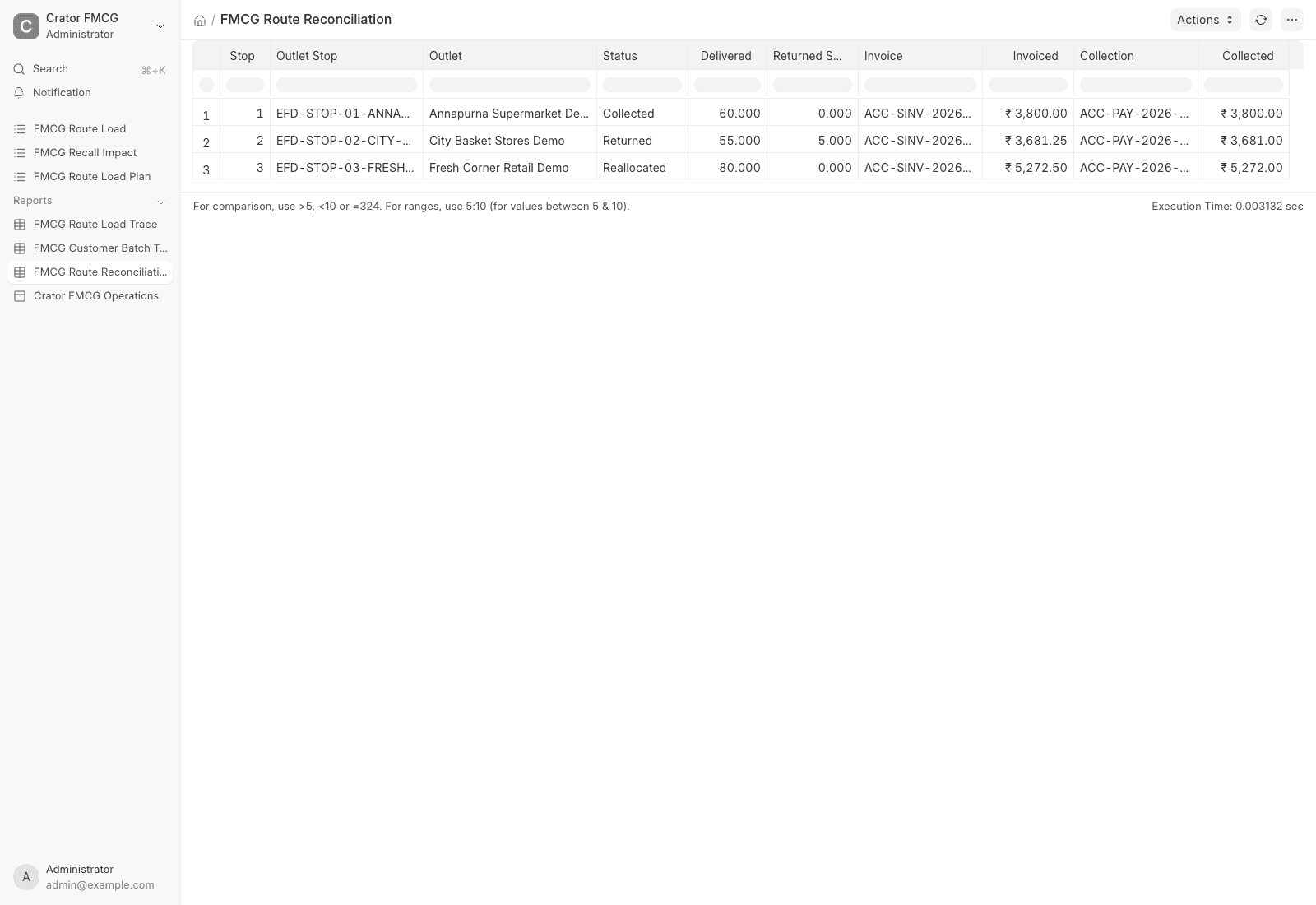
Two outlets accept their delivery in full. City Basket returns five biscuit cases into the food-safety hold warehouse. The route reconciliation shows 195 delivered units, five returned units, the net invoice for every outlet and its allocated Payment Entry.
The invoices are synthetic ERPNext records. This build does not claim GST return, e-invoice, IRN or e-way-bill submission.
Held-batch exception
A quality alert stops the next allocation and identifies delivered customers
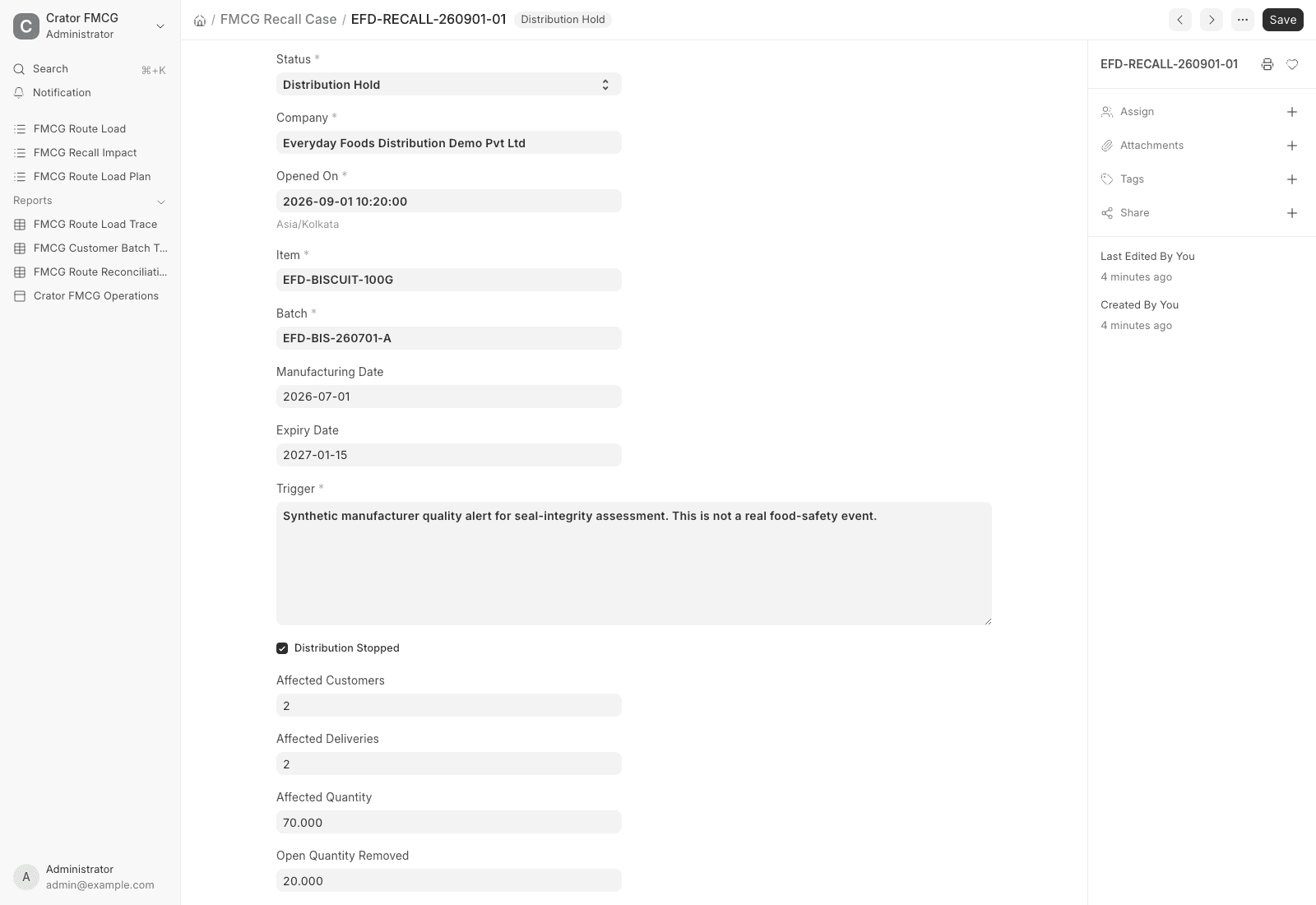
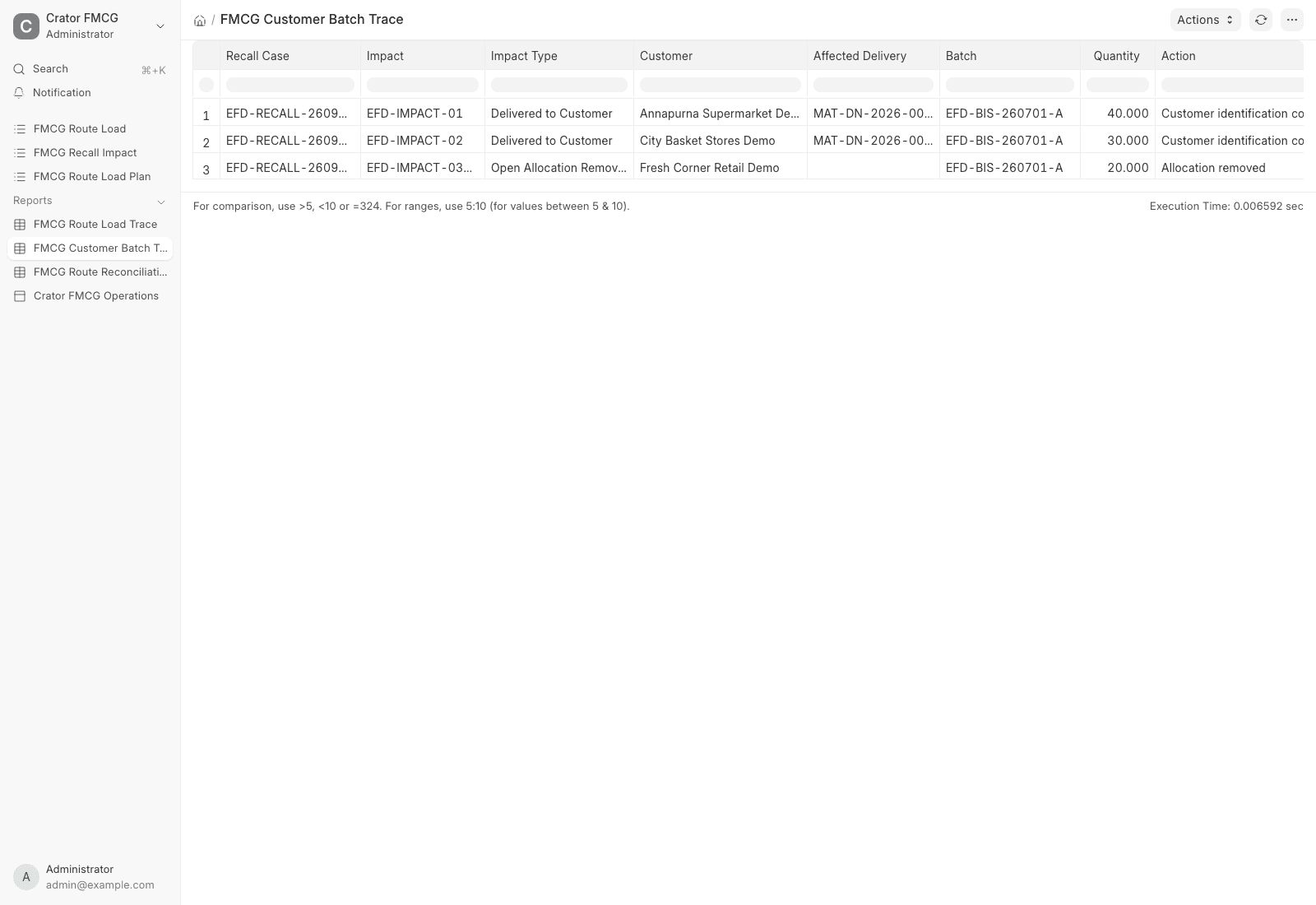
After the first two outlets, a synthetic seal-integrity alert places batch EFD-BIS-260701-A on Distribution Hold. Twenty cases not yet delivered are removed from the third stop and replaced from a later-expiry batch. The original batch is disabled for new movement after its customer trace is assembled.
The case identifies two Delivery Notes and 70 delivered cases, plus the 20-case open allocation. Its regulatory status remains Not submitted by system. A food business operator must own the real assessment, notice, communication, recovery, reporting and closure.
Implementation
What Crator added to ERPNext
ERPNext remains the stock, selling, delivery and accounting foundation. Crator adds the distributor-specific route, approval, allocation, exception and reconciliation layer as a separate Frappe app without changing ERPNext core.
One FMCG distributor system
ERPNext foundation
- Items, warehouses and Batches
- Sales Orders and Pick Lists
- Stock Entries and Delivery Notes
- returns, Sales Invoices and Payment Entries
Crator distribution layer
- approved trade-scheme record
- route plan and outlet-stop chain
- FEFO batch allocation and replacement decision
- held-batch customer impact trace
- route quantity and collection reconciliation
Production boundary
What a real distributor still has to decide
The reference proves the configured document chain and controls, not production readiness. A rollout still needs live item and pack masters, batch feeds, shelf-life rules, warehouse and route policy, outlet credit, scheme eligibility, returns and credit-note treatment, recall ownership, GST and transport validation, barcode and mobile hardware, integrations, permissions, migration and user acceptance testing.
Frequently asked questions
It should connect outlet orders to price or scheme approval, batch and expiry selection, warehouse and van stock, delivery, returns, invoices, credit and collections. For food products, it should also make customer and delivery records discoverable by batch when a hold or recall assessment begins.
Yes. ERPNext supplies Items, Batches, Sales Orders, Pick Lists, Stock Entries, Delivery Notes, returns, Sales Invoices and Payment Entries. Crator adds the route plan, outlet-stop chain, trade-scheme approval, batch allocation, held-batch impact record and route reconciliation shown here.
The reference makes a FEFO decision visible for each outlet and batch. ERPNext supports batch and expiry records, and its Pick List can select batched stock nearer to expiry. A production rollout still needs the distributor's minimum shelf-life, blocked-stock, customer and substitution rules.
No. It stops open allocation and identifies affected customer deliveries. A qualified food business operator must decide whether a recall is required and handle notification, communication, recovery, reporting and closure under its approved recall plan. The reference does not submit to FSSAI or a State Commissioner.
No. It creates ordinary ERPNext invoices and stock documents with synthetic data. A live implementation must validate GST registration, tax rules, IRN and e-way-bill applicability, current portal schemas, credentials, errors and print formats before enabling any production connector.
It is a working reference app built with Crator on ERPNext, not a fictional customer case study. The app can be handed over and adapted, but live items, routes, outlets, scheme logic, credit policy, tax, recall procedure, mobile workflows and external integrations still need the distributor's decisions.