How SolarSquare scaled ERPNext for 50,000 solar homes
· Aarav Jhawar · 7 min read
This article is part of our Frappeverse Mumbai 2026 coverage, including all nine keynotes and selected community stories.
SolarSquare runs supply chain and finance on ERPNext across more than 30 cities and 10 states. More than 500 people use the system, and a three-person ERPNext team supports that operation inside a technology organisation of more than 90 people.
At Frappeverse Mumbai 2026, Krupal Vora, a member of SolarSquare's three-person ERPNext team, shared the architecture behind the scale. SolarSquare kept ERPNext in place and separated the parts around it one bottleneck at a time: the database, large exports, reporting reads, file storage, Redis, web traffic and background jobs.
ERPNext carries finance and supply chain
SolarSquare had installed more than 50,000 residential solar plants when Krupal gave the talk. Its wider business covers homes, housing societies, and commercial and industrial projects. Each installation needs more than 40 stock-keeping units selected from a catalogue of more than 4,000, with the final bill of materials changing by site, dimensions and state policy.
Procurement, warehousing, inter-warehouse transfers, first-mile movement and delivery run through ERPNext. Finance uses the same system for sales and purchase invoices, payments, bank integrations, ledgers, reports and audits.
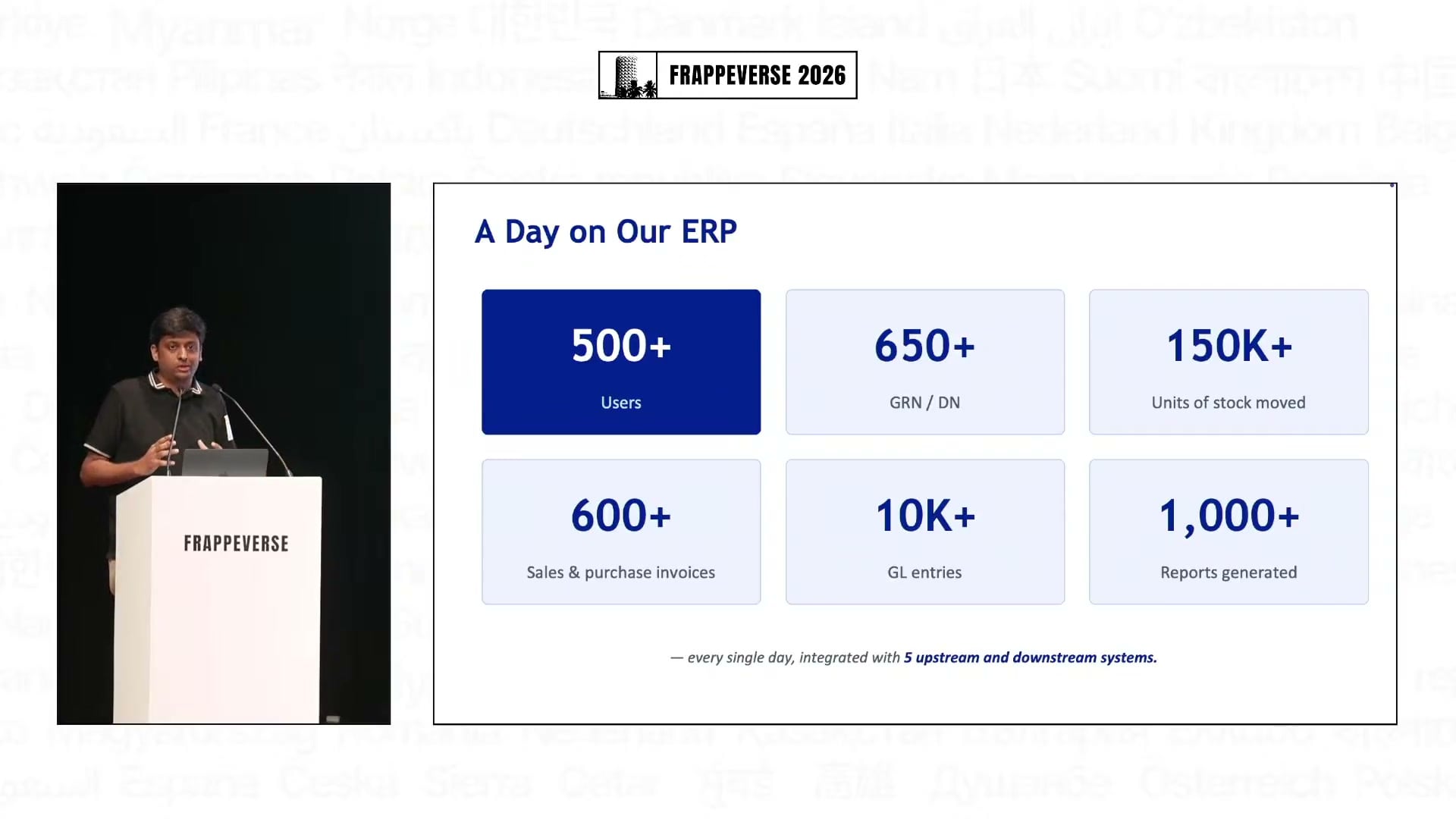
The daily volumes are substantial: more than 500 users, over 650 goods receipts and delivery notes, more than 150,000 stock units moved, over 600 sales and purchase invoices, more than 10,000 general-ledger entries and over 1,000 reports generated. Krupal said someone runs a report roughly every 40 seconds.
The all-in-one server reached its limit
SolarSquare began in 2023 with one application instance containing the app, Redis, background jobs and database. The first bottleneck was the database. Heavy reads and transactional writes competed for the same resources, and indexes did not provide enough relief. The team moved the primary database onto a separate managed service.
That worked until a large export consumed the application's available memory. In ERPNext version 15, a user could request years of sales-invoice data from a list view while the export remained tied to the web request. SolarSquare moved that work to Lambda. The background process runs the query, writes the result to S3 and sends the user a presigned download link by email.
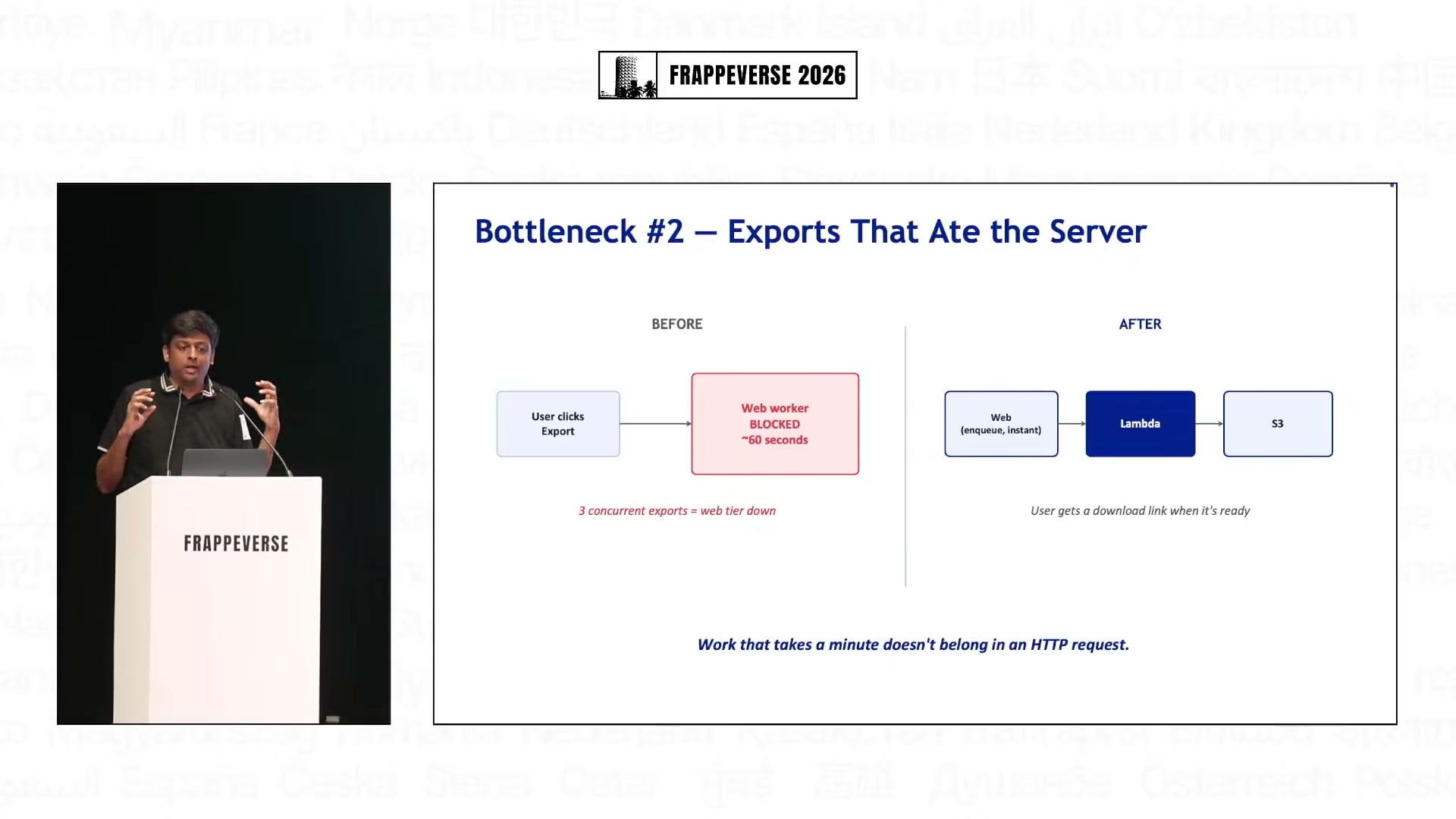
The workflow stayed familiar to the user, but the application server no longer had to hold a two-year export in memory while also serving operational traffic.
Reports stopped competing with transactions
The next bottleneck appeared when warehouse teams created delivery notes at the same time that finance ran stock-ledger and general-ledger reports. Both workloads hit the same primary database, so month-end reporting slowed the transactions that moved physical stock.
SolarSquare introduced a read replica. Invoices and stock writes remained on the primary database, while reports, dashboards, selected APIs and heavier ledgers went to the replica. Frappe's configuration and decorators allowed the team to route those functions without maintaining a separate reporting application.
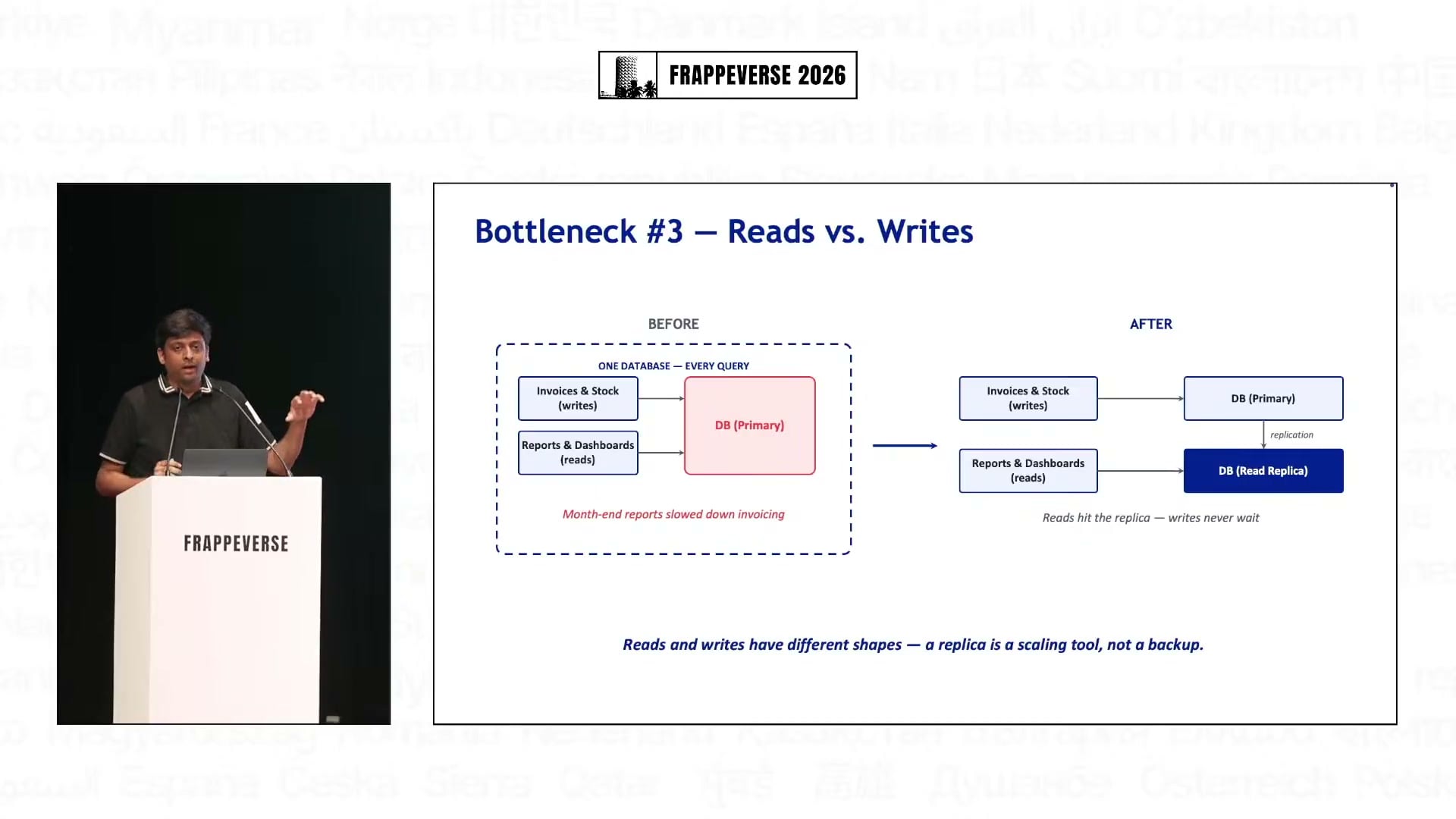
The replica is a scaling tool, not a backup. Replication happens in real time, and its job is to keep reads from making writes wait.
Each component can now scale on its own
Once the database had been separated, two shared components still prevented horizontal scaling. SolarSquare migrated about 1.5 lakh invoice PDFs and other attachments from local storage to S3. It moved Redis to ElastiCache so caching, queues and sockets could run independently of an application server.
The team then separated web workers from background workers. Web traffic now goes through a load balancer to an auto-scaling group that can add capacity during a spike. Background jobs run on dedicated workers because a delayed report is preferable to a failed order request.
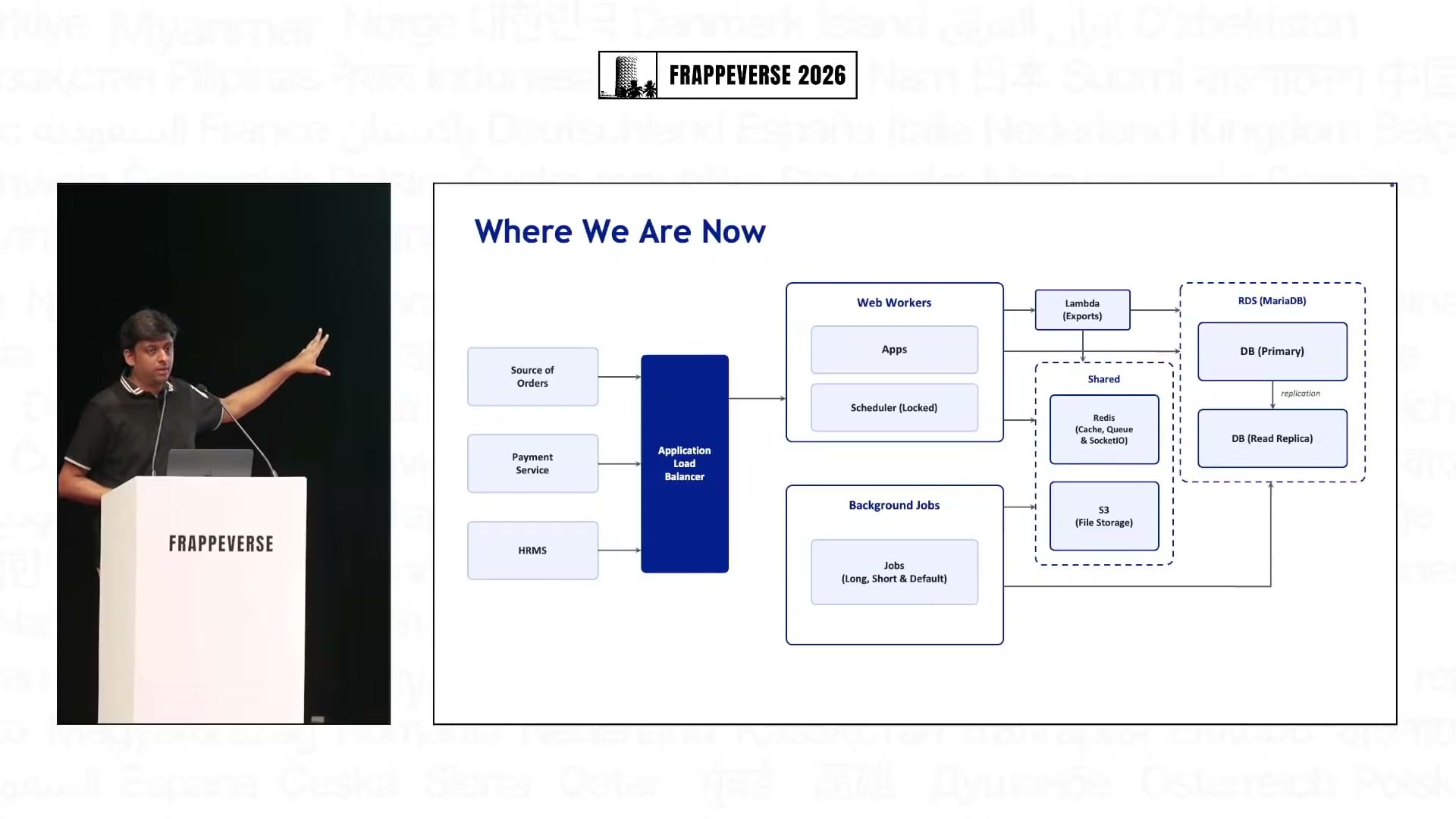
The current architecture accepts orders from several sources and connects ERPNext with internal tools and microservices. It arrived through a sequence of small changes: vertical scaling, database separation, background exports, read replicas, external file and cache services, then separate web and job workers.
Most of that work did not require a fork of ERPNext. Krupal described the database split, read routing and worker separation as configuration-level changes, with small decorators where a function needed to use the replica. The standard app kept its transaction model while the team scaled the infrastructure around it.
The next bottleneck is already visible
SolarSquare still expects more work. Krupal said the team is looking at optimisations in Frappe and ERPNext itself, or a version upgrade, as the next stage. The talk also credited India Compliance and Frappe S3 Attachment, which helped move 1.5 lakh files to S3.
After several rounds of Big Four audits and due diligence, the team collected its process controls into another app. It covers GitHub-managed changes, access management and reports that auditors request frequently. SolarSquare plans to open-source it.
The architecture will keep changing because the business is still growing. ERPNext remains in the middle, processing the stock and financial records that SolarSquare cannot afford to lose, while each surrounding component can now be scaled for the kind of work it performs.
Watch the full Day 1, Track 1 livestream from the start of this talk