ERPNext v16 inward subcontracting: a new job-work workflow
· Yajat Gulati · 8 min read
Cover image: Frappe's official ERPNext v16 release page.
ERPNext v16 adds the missing direction of subcontracting: a manufacturer can receive material from a customer, process it, deliver the finished work and return what remains. Frappe calls this inward subcontracting, or job work.
ERPNext v15 is built around outward subcontracting. Your company sends raw material to a supplier, the supplier processes it and your company receives the result. That model is correct for purchasing an outside operation. It is a poor fit when the customer owns the material and pays you to perform the manufacturing step.
Version 16 gives that job-work relationship its own records and stock purposes. A subcontracted Sales Order can lead to a Subcontracting Inward Order, which can connect to a Work Order and track material through receipt, production, delivery and return.
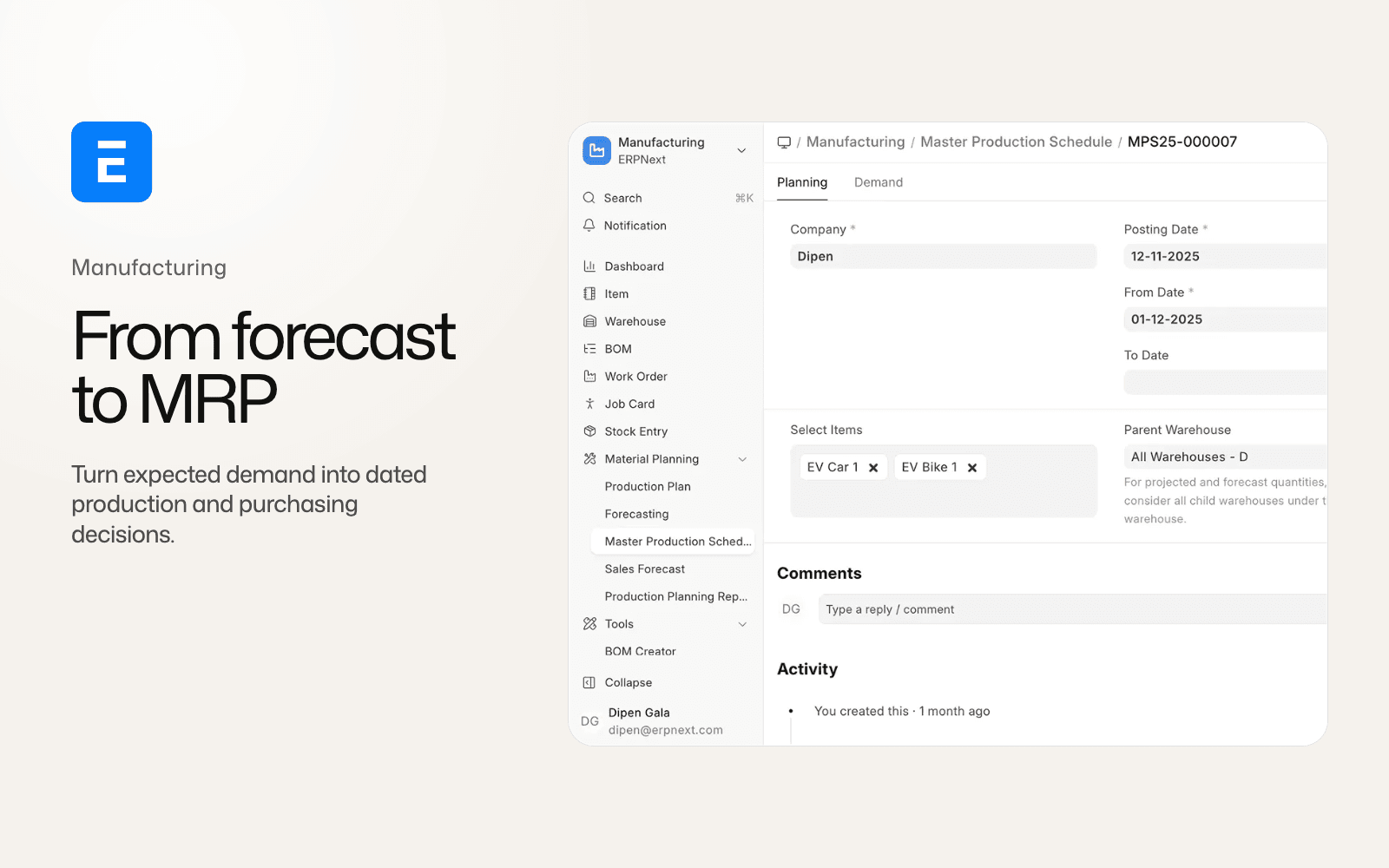
The ERPNext v16 comparison places inward subcontracting beside the manufacturing planning and stock changes. The companion manufacturing article goes deeper into the planning and production model.
The Sales Order starts a customer-owned production job
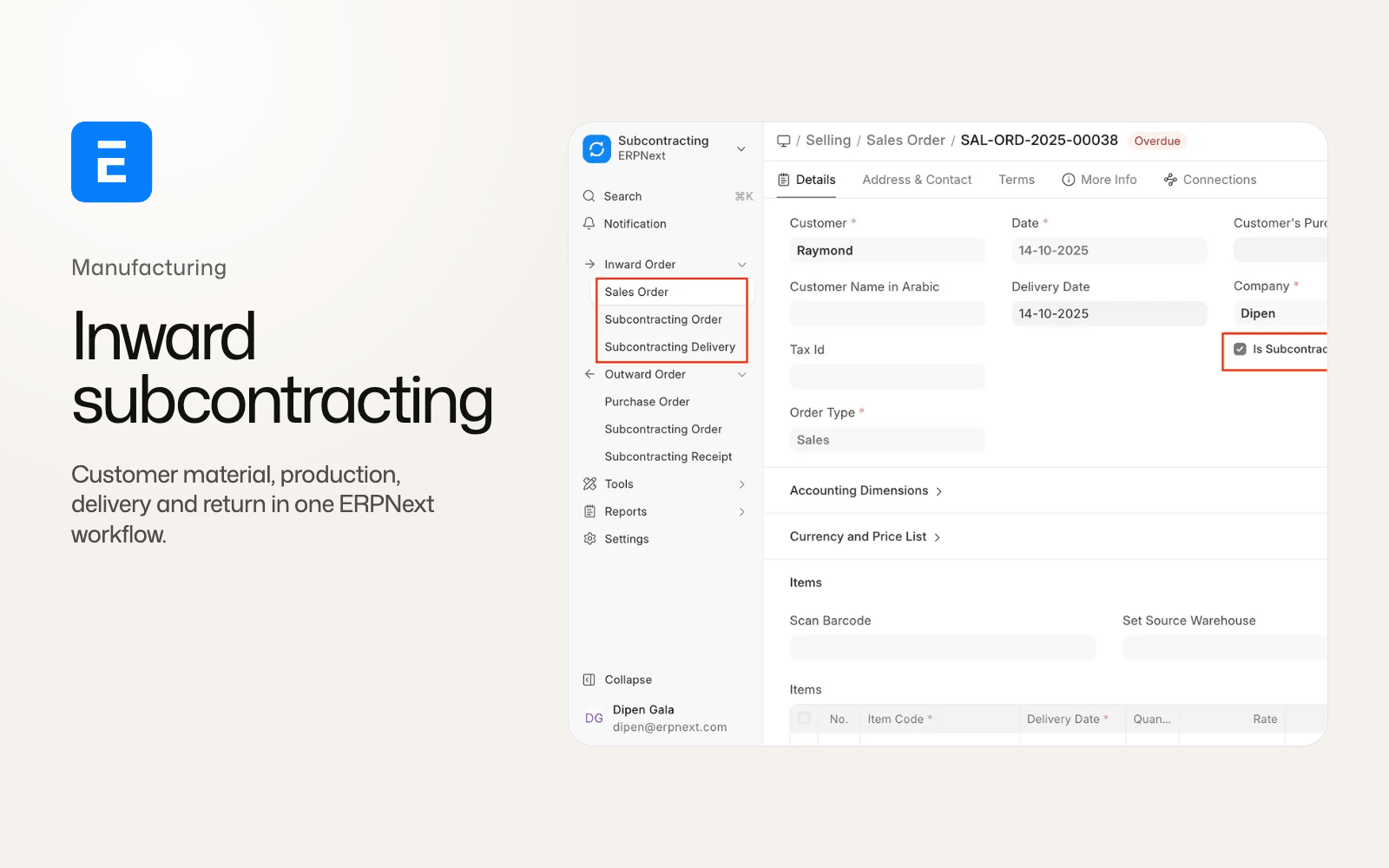
The inward flow begins in Selling. A Sales Order can be marked as subcontracted, with each item identifying the finished item and quantity to make.
That tells ERPNext what your company owes the customer. It also gives the team a commercial document from which to create the production obligation. It is a sales commitment that includes a manufacturing service using material supplied by the customer.
The Sales Order creates a Subcontracting Inward Order. The new document has separate child records for items, service items, received items and secondary items. It can therefore represent the finished output, the processing service and the material or secondary output that needs to be accounted for separately.
For an implementation team, this is the first important boundary. The Sales Order remains the commercial promise. The Inward Order becomes the operational record for customer material and the work performed against it. An integration built for supplier-led subcontracting needs a separate customer-job route.
Warehouse.customer makes ownership visible
ERPNext v16 adds a Customer field to Warehouse. In an inward job-work flow, the customer-supplied material can be received into a warehouse associated with that customer rather than being mixed into the manufacturer's ordinary raw-material stock.
That field does not turn inventory ownership into a complete legal conclusion. A business still needs its own ownership, valuation and contract rules. It does give stock transactions a clear place to record whose material is being held.
The Item master also loses its older Customer field. Customer-provided flows move to the Warehouse and inward-subcontracting model instead. Integrations that used the Item master to identify customer material need to use the new warehouse and inward-order relationship.
The warehouse design helps answer a day-to-day question for stores teams: which stock can production issue for a customer job, and which stock belongs to the company's own inventory? The answer is visible in the warehouse structure and the inward order rather than living in a custom note or a special item flag.
Four Stock Entry purposes describe the material movement
ERPNext v16 adds Stock Entry purposes for the main customer-material movements:
- Receive from Customer
- Return Raw Material to Customer
- Subcontracting Delivery
- Subcontracting Return
The names describe direction and ownership better than a generic Material Transfer. Receiving from the customer records material entering the manufacturer's custody. Returning raw material sends unused or rejected material back. Subcontracting Delivery moves processed output to the customer. Subcontracting Return brings material or output back when the operational flow requires it.
These purposes tie the stock movement to the inward order and its item quantities. ERPNext can distinguish customer material from an ordinary receipt or a transfer between company warehouses.
The exact warehouse map still belongs to the implementation. Define the customer warehouse, work-in-progress warehouse, finished-goods location and return location before users begin posting transactions. Then test cancellation and correction for every direction. A document that looks like a simple transfer can affect customer-owned quantity, production progress and the final delivery obligation at the same time.
Work Orders connect the inward order to production
The Inward Order can connect to a Work Order. That gives the production team a normal manufacturing record for operations, materials and completion while retaining the customer-facing job context.
The Work Order is where the job becomes shop-floor work. It can consume customer-supplied material, record the produced quantity and connect production events back to the inward order. The production team does not need to model the job as an unconnected internal Work Order and then explain the customer material later in a spreadsheet.
The flow also works with the broader v16 manufacturing changes. Job Cards can record completed quantity, pending quantity and process loss. Secondary items can classify co-products, by-products, scrap and additional finished goods. Stock reservation extends to Subcontracting Inward Order and Work Order, so customer material and production demand can be reserved before the job reaches its final delivery step.
Those features do not mean every inward job has the same recipe. Some service operations consume little material. Others transform a customer component into a finished assembly with several outputs. Keep the BOM, operation sequence, item ownership and cost allocation explicit for each job type.
Process loss and secondary items stay in the record
Job work often has a difference between material received, material consumed, finished goods produced and material returned. V16 gives the inward order item model fields for the quantities that make that difference legible.
Process loss can be recorded as part of the job rather than disappearing between receipt and delivery. Secondary items can represent co-products, by-products, scrap or additional finished goods. The same secondary-item model appears in BOM, Job Card and Stock Entry records.
Manufacturers should define how a loss is approved and how it is explained to the customer. A process loss percentage in a BOM is not a substitute for a quality decision. It gives ERPNext a quantity to account for; the operating procedure still needs a reason, tolerance and review path.
Costing also changes in the v16 model. For secondary items, cost allocation is based on the raw-material cost multiplied by the allocation percentage. The main finished good and secondary items must add up to 100 percent before the BOM can save. If an existing custom app used the old scrap quantity and rate semantics, it needs a calculation review.
Delivery and return complete the customer promise
The inward process ends with delivery of the finished work and return of the customer's remaining material or other agreed items.
The Inward Order tracks what was received, produced, delivered and returned. That gives customer service and production a shared view of the job. A customer asking how much material remains does not need an answer assembled from the original receipt, a Work Order and a manually maintained delivery note.
Selling Settings adds a Subcontracting Inward tab with controls such as Allow Delivery of Overproduced Qty and Deliver Secondary Items. These settings decide how much can be delivered and whether secondary output can travel with the main finished item.
Overproduction is a control point, not a harmless convenience. A site should decide whether extra finished quantity can be delivered, held, billed or returned. The same applies to secondary items. Define the rule before enabling delivery, then test the quantities against the Sales Order and inward order.
Inward and outward subcontracting are different jobs
The two flows may use similar words, but they assign responsibility differently.
| Question | Outward subcontracting | Inward subcontracting |
|---|---|---|
| Who supplies the main raw material? | Your company | Your customer |
| Commercial starting point | Purchase Order or Subcontracting Order | Subcontracted Sales Order |
| Operational order | Subcontracting Order | Subcontracting Inward Order |
| Main stock concern | Material sent to a supplier and received back | Customer material held, consumed, delivered and returned |
| Production link | Supplier processing and receipt | Work Order for the job performed by your company |
Outward subcontracting also gains stock reservation and Production Plan links in v16. That improves the existing direction, while the inward records cover customer-owned job work.
The distinction matters for permissions, valuation, customer reporting and integrations. A connector that maps every subcontracting order to a supplier will put inward customer material on the wrong side of the ledger or inventory process.
What existing sites should review
V16 moves customer-provided material away from the older Customer field on Item. Before upgrading, inventory and implementation teams should list every integration, report and print format that uses that field.
Then build a staging scenario with:
- a subcontracted Sales Order with finished-item quantity;
- receipt of customer material into a customer-linked warehouse;
- an Inward Order linked to a Work Order;
- transfers into production and a partial consumption;
- process loss and at least one secondary item;
- delivery of the finished quantity;
- return of unused raw material;
- cancellation and correction of each Stock Entry;
- an overproduced quantity and a setting decision about whether it can be delivered;
- reconciliation of customer-owned quantities and accounting entries.
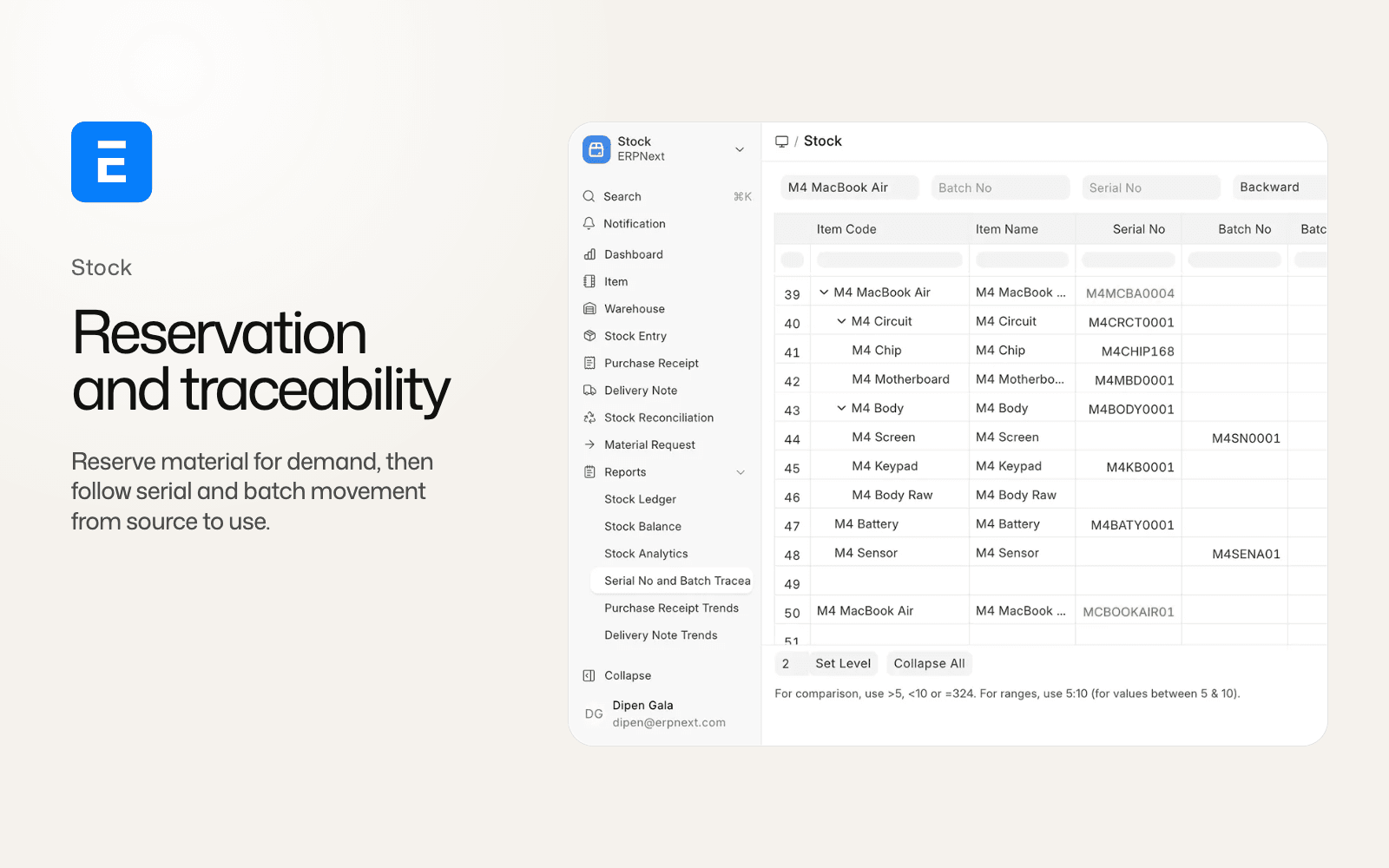
Review stock reservation at the same time. The stock reservation and traceability guide explains the new transferred and consumed quantities and the serial and batch changes that custom stock apps need to handle.
Who should use inward subcontracting in v16?
The feature is aimed at manufacturers, fabricators, assemblers and other job-work businesses that receive customer material and charge for processing. It is also useful when ownership needs to stay visible across a multi-step production job.
An existing v15 site should not recreate its old outward flow with renamed documents. Start by mapping ownership, material direction and the customer promise. Then build the inward path in staging and reconcile the quantities at receipt, production, delivery and return.
ERPNext can now represent customer-owned material and the work performed against it with records designed for that relationship. The implementation still depends on a clean warehouse model, explicit quantities and a reviewable process for loss and secondary output.
ERPNext v16 inward subcontracting FAQ
What is inward subcontracting in ERPNext?
It is job work where your company manufactures or processes material supplied by a customer. ERPNext v16 tracks the customer Sales Order, inward order, material receipt, production, delivery and return.
Is inward subcontracting available in ERPNext v15?
The dedicated inward workflow is a v16 addition. ERPNext v15 primarily models outward subcontracting, where your company sends material to a supplier for processing.
Which documents are used for inward subcontracting?
The flow uses a subcontracted Sales Order, Subcontracting Inward Order, Stock Entries for customer material movements and a Work Order for production. Delivery and return records complete the operational flow.
What does Warehouse.customer do?
It associates a warehouse with a customer so customer-supplied material has a visible stock location. It replaces the older pattern of using the Customer field on Item as the main customer-material marker.